Touch pad cell phone
US20200097103A1
2020-03-26
16/137,582
2018-09-21
Abstract:
The Touch Pad cell phone is a touch pad built into the rear of a cell phone that works along with an on-screen cursor that the user can activate with their finger and control the features of their phone one handed.
Interested in similar patents?
Get notified when new applications in this technology area are published.
Classification:
G06F3/03547 » CPC main
Input arrangements for transferring data to be processed into a form capable of being handled by the computer; Output arrangements for transferring data from processing unit to output unit, e.g. interface arrangements; Input arrangements or combined input and output arrangements for interaction between user and computer; Arrangements for converting the position or the displacement of a member into a coded form; Pointing devices displaced or positioned by the user, e.g. mice, trackballs, pens or joysticks ; Accessories therefor with detection of 2D relative movements between the device, or an operating part thereof, and a plane or surface, e.g. 2D mice, trackballs, pens or pucks Touch pads, in which fingers can move on a surface
H04M1/026 » CPC further
Substation equipment, e.g. for use by subscribers; Constructional features of telephone sets; Portable telephone sets, e.g. cordless phones, mobile phones or bar type handsets Details of the structure or mounting of specific components
G06F1/1692 » CPC further
Details not covered by groups - and; Constructional details or arrangements for portable computers; Constructional details or arrangements of portable computers not specific to the type of enclosures covered by groups - ; Constructional details or arrangements related to integrated I/O peripherals not covered by groups - the I/O peripheral being an integrated pointing device, e.g. trackball in the palm rest area, mini-joystick integrated between keyboard keys, touch pads or touch stripes the I/O peripheral being a secondary touch screen used as control interface, e.g. virtual buttons or sliders
G06F3/04883 » CPC further
Input arrangements for transferring data to be processed into a form capable of being handled by the computer; Output arrangements for transferring data from processing unit to output unit, e.g. interface arrangements; Input arrangements or combined input and output arrangements for interaction between user and computer; Interaction techniques based on graphical user interfaces [GUI] using specific features provided by the input device, e.g. functions controlled by the rotation of a mouse with dual sensing arrangements, or of the nature of the input device, e.g. tap gestures based on pressure sensed by a digitiser using a touch-screen or digitiser, e.g. input of commands through traced gestures for inputting data by handwriting, e.g. gesture or text
G06F3/0354 IPC
Input arrangements for transferring data to be processed into a form capable of being handled by the computer; Output arrangements for transferring data from processing unit to output unit, e.g. interface arrangements; Input arrangements or combined input and output arrangements for interaction between user and computer; Arrangements for converting the position or the displacement of a member into a coded form; Pointing devices displaced or positioned by the user, e.g. mice, trackballs, pens or joysticks ; Accessories therefor with detection of 2D relative movements between the device, or an operating part thereof, and a plane or surface, e.g. 2D mice, trackballs, pens or pucks
G06F3/0488 IPC
Input arrangements for transferring data to be processed into a form capable of being handled by the computer; Output arrangements for transferring data from processing unit to output unit, e.g. interface arrangements; Input arrangements or combined input and output arrangements for interaction between user and computer; Interaction techniques based on graphical user interfaces [GUI] using specific features provided by the input device, e.g. functions controlled by the rotation of a mouse with dual sensing arrangements, or of the nature of the input device, e.g. tap gestures based on pressure sensed by a digitiser using a touch-screen or digitiser, e.g. input of commands through traced gestures
G06F1/16 IPC
Details not covered by groups - and Constructional details or arrangements
H04M1/02 IPC
Substation equipment, e.g. for use by subscribers Constructional features of telephone sets
Description
BACKGROUND OF INVENTION
The Touch Pad Cell Phone is designed for the user to operate a cell phone with one hand. The Touch Pad on the back of the cell phone allows the user to operate all the phones features with their, example (Index or middle finger). The Touch Pad works along with a cursor that is visible on the front screen. With the Touch Pad a user can control every feature the phone has to offer
The Touch Pad Cell Phone has a touch pad similar to that of a computer along with an On-screen cursor. The Touch Pad is located on the back of the phone. With the built in Touch Pad the user can use one hand to control every option of a phone. The Touch Pad is built into a cell phone and is located on the back of a cell phone. The Touch Pad has a clicking feature, used along with a cursor that allows the user to open or close pages, select a phone option (contacts, online, messages) control applications and settings, programs and displays. The Touch Pad phone is designed for the user to more easily use their phone. The Touch Pad phone was also designed for the user to operate the phone with one hand. The way a cell phone is held, the positioning of the users hands will make the Touch Pad on the back easy to use and found to be readily available.
BRIEF DESCRIPTION OF SEVERAL VIEWS OF THE DRAWINGS
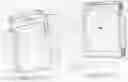
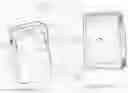
FIG. 1 of the drawings illustrates the front and rear view of the invention. The rear view shows the touch pad (T). (B) is the touch pads on/off switch that shuts off power to the touchpad. (R) is the cell phone housing and (C) is the camera. Also FIG. 1 illustrates the front view of the said invention. On the front view is the illustration of the cursor (A) that is controlled by the touch pad and that is used to scroll down or up, used to open new pages, close pages, and run every feature the phone has to offer.
DETAILED DESCRIPTION OF THE INVENTION
The Touch Pad (T) when operated by the user, will move the cursor (A) FIG. 1. around the cell phone screen and will operate every feature of the phone, example, (windows, Applications, scrolling, settings, play lists . . . )
Claims
I claim:1. A Touch Pad that is built into a cell phone that when activated will control a cursor on the screen that is used to work the features of the phone.
Images & Drawings included:

Sources:
- United States Patent and Trademark Office - verify current appl. status at the USPTO↗
Similar patent applications:
- » 20210132712
Touch Pad Cell Phone - » 20230297177
Touch pad cell phone - » 20250021222
Touch pad cell phone
Recent applications in this class:
- » 20250173008 2025-05-29
INPUT DEVICE - » 20250173007 2025-05-29
TOUCH DEVICE AND INPUT DEVICE - » 20250165084 2025-05-22
LIGHT-EMITTING MODULE FOR TOUCHPAD - » 20250155997 2025-05-15
TOUCHPAD DEVICE - » 20250093980 2025-03-20
Tracking touchpad touch input - » 20250085794 2025-03-13
DISPLAY PROCESSING METHOD - » 20250077002 2025-03-06
DETECTION DEVICE WITH THERMAL PROTECTION ARRANGEMENT - » 20250077001 2025-03-06
TOUCH PAD DEVICE - » 20250060842 2025-02-20
TOUCHPAD ASSEMBLY - » 20250036221 2025-01-30
TOUCH PAD AND COMPUTER