Description
CLAIM OF PRIORITY
This application claims priority from the following application, which is hereby incorporated by reference in its entirety:
-
- EXTENSIBLE INTERACTIVE SOFTWARE DEVELOPMENT ENVIRONMENT, U.S. Application No. 60/451,340, Inventors: Ross Bunker et al., filed on Feb. 28, 2003. (Attorney's Docket No. BEAS-1437US0)
CROSS-REFERENCE TO RELATED APPLICATIONS
This application is related to the following co-pending applications which are each hereby incorporated by reference in their entirety:
-
- SYSTEM AND METHOD FOR MULTI-LANGUAGE EXTENSIBLE COMPILER FRAMEWORK, U.S. application Ser. No. ______, Inventors: Kevin Zatloukal, filed on ______. (Attorney's Docket No. BEAS-1396US1)
- SYSTEMS AND METHODS FOR MULTI-LANGUAGE DEBUGGING, U.S. Application No. 60/450,014, Inventors: William Pugh et al., filed on Feb. 26, 2003. (Attorney's Docket No. BEAS-1411US0)
- SYSTEMS AND METHODS FOR MULTI-VIEW DEBUGGING ENVIRONMENT, U.S. Application No. 60/451,368, Inventors: Josh Eckels et al., filed on Mar. 1, 2003. (Attorney's Docket No. BEAS-1436US1)
- SYSTEMS AND METHODS FOR TYPE-INDEPENDENCE SOURCE CODE EDITING, U.S. Application No. 60/449,984, Inventors: Britt Piehler et al., filed on Feb. 26, 2003. (Attorney's Docket No. BEAS-1439US0)
- MULTI-THREADED MULTI-LANGUAGE COMPILER FRAMEWORK, U.S. Application No. 60/488,629, Inventors: Kevin Zatloukal, filed on Jul. 19, 2003. (Attorney's Docket No. BEAS-1470US0)
- ARBITRARY NESTING OF LANGUAGES, U.S. application Ser. No. ______, Inventors: ______, filed on ______. (Attorney's Docket No. BEAS-1471US0)
- METHOD OF USING THE SAME COMPILER AS A LANGUAGE ANALYZER AND AN OBJECT CODE PRODUCER, U.S. application Ser. No. ______, Inventors: ______, filed on ______. (Attorney's Docket No. BEAS-1472US0)
- LANGUAGE INDEPENDENT AUTO CORRECTION, U.S. application Ser. No. ______, Inventors: ______, filed on ______. (Attorney's Docket No. BEAS-1473US0)
COPYRIGHT NOTICE
A portion of the disclosure of this patent document contains material which is subject to copyright protection. The copyright owner has no objection to the facsimile reproduction by anyone of the patent document or the patent disclosure, as it appears in the Patent and Trademark Office patent file or records, but otherwise reserves all copyright rights whatsoever.
FIELD OF THE DISCLOSURE
The present invention disclosure relates to an extensible interactive development environment.
BACKGROUND
Typical interactive applications provide for operating on a fixed set of file types where the file contains a single type of content. Increasingly, applications require the use of files that contain many different kinds of interleaved content or code in different programming languages. Moreover, the frequency with which new types of content and programming languages become available is increasing rapidly. These factors require a new kind of interactive application that can be dynamically configured.
BRIEF DESCRIPTION OF THE DRAWINGS
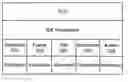
FIG. 1 is an exemplary illustration of an interactive application extension component in an embodiment.
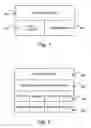
FIG. 2 is an exemplary illustration of a generic interactive application in an embodiment.
FIG. 3 is an exemplary illustration of services in an embodiment.
DETAILED DESCRIPTION
The invention is illustrated by way of example and not by way of limitation in the figures of the accompanying drawings in which like references indicate similar elements. It can be noted that references to “an” or “one” embodiment in this disclosure are not necessarily to the same embodiment, and such references mean at least one.
In one embodiment, a generic interactive application (GIA) can be dynamically configured and functionally extended by defining it in terms of interchangeable building blocks called extensions. By way of a non-limiting example, extensions can provide new graphical user interface (GUI) components, new project/file types, and new application functionality. An example of a GIA is WebLogic® Workshop, an interactive software development environment available from BEA Systems, Inc. of San Jose, Calif.
FIG. 1 is an exemplary illustration of an interactive application extension component in an embodiment. In one embodiment, an extension can include an XML (Extensible Markup Language) descriptor 100 (“extension.xml”), an optional set of classes defined in an object-oriented programming language (e.g., Java™, C#, C++, or another suitable language) 102 that can expose interfaces and consume services, and optional resources 104 (e.g., images, text strings, sounds, and any other suitable resource). An extension's components can be packaged together in an archive as a file (e.g., a JAR Java™ Archive), a directory or any combination thereof. For complex extensions, a JAR file can contain the code that is the extension's implementation, a manifest file which defines the class path, and attributes that reference dependent JARs that need to be available at run time by the extension.
FIG. 2 is an exemplary illustration a generic interactive application in an embodiment. Although this diagram depicts components as logically separate, such depiction is merely for illustrative purposes. It will be apparent to those skilled in the art that the components portrayed in this figure can be arbitrarily combined or divided into separate software, firmware and/or hardware. Furthermore, it will also be apparent to those skilled in the art that such components, regardless of how they are combined or divided, can execute on the same computing device or can be distributed among different computing devices connected by one or more networks or other suitable communication means.
In one embodiment, a GIA 204 includes a user interface (UI) 200 and a set of services 206. The GIA and its services can make use of and extend the functionality of, the UI. By way of a non-limiting example, the UI can include one or more of the following: 1) a graphical user interface (GUI) (e.g., rendered with Hypertext Markup Language); 2) an ability to respond to sounds and/or voice commands; 3) an ability to respond to input from a remote control device (e.g., a cellular telephone, a PDA, or other suitable remote control); 4) an ability to respond to gestures (e.g., facial and otherwise); 5) an ability to respond to commands from a process on the same or another computing device; and 6) an ability to respond to input from a computer mouse and/or keyboard. This disclosure is not limited to any particular UI. Those of skill in the art will recognize that many other UI embodiments are possible and fully within the scope and spirit of this disclosure.
Each service can be associated with an extension 208. An extension can expose and consume the services of other extensions. In one embodiment, a service is a public interface that has an implementation and provides access to functionality in an extension. An extension may declare services that it implements. For instance, a debugger extension can define a debugger service that, among other things, provides a method for setting a breakpoint in a program source file. Services can be consumed by an extension's classes and can be registered with the system using tags in the extensions.xml file.
In one embodiment, at startup a GIA run-time component can read all extension.xml files, batch them together and ensure that the services requested by each are available. Extensions may define handlers for an <extension-xml> tag found in the extension.xml file. Handlers are associated with a particular id attribute. In one embodiment, an extension.xml file can be scanned for code fragments contained within a <extension-xml> tag and those fragments can be passed to handlers defined for the particular id attribute at run-time. This mechanism allows extensions to create extendable infrastructure in which other extensions can participate. In one embodiment, a handler class can be instantiated by the GIA and is responsible for parsing XML contained in a fragment.
FIG. 3 is an exemplary illustration of a services in an embodiment. In one embodiment and by way of a non-limiting example, services can include: a resource service 300 to provide access to resources such as icons, images, and localizable strings; a frame service 302 to allow extensions to specify a GUI docking layout; a file service 304 that can provide a set of services for file system access and manipulation; a server service (not shown) to provide a set of services for accessing a server; a document services 306 to provide a means to supply an abstract document interface for files that are part of the application project; and an action service 308 to provide methods for adding and manipulating menu and toolbar items.
In one embodiment, the root element for the XML in the extension.xml file is <extension-definition>. An <extension-definition> element may have one or more <extension-xml> elements as children, each describing a different extension. The particular type of extension can be described by setting the value of the <extension-xml> element's id attribute. Exemplary values for the id attribute are given in Table 1.
By way of a non-limiting example, the following XML describes an extension that adds three GUI panels for setting properties in a GIA: one for a Project Properties dialog, one for an Application (workspace) Properties dialog, and one for a GIA Properties dialog:
|
<extension-xml id=“urn:com:settings”> |
|
label=“%strings.workshop.debugger.extension.debuggerTab%” |
|
class=“workshop.debugger.ui.DebuggerPreferencesPanel”/> |
|
</project-preferences> |
|
<workspace-preferences> |
|
label=“%strings.workshop.debugger.extension.debugSourcepath%” |
|
class=“workshop.debugger.ui.DebugSourcepathPreferences” |
|
priority=“40”/> |
|
</workspace-preferences> |
|
<GIA-preferences> |
|
label=“%strings.workshop.debugger.extension.debuggerViews%” |
|
class=“workshop.debugger.ui.ExpressionViewPreferences”/> |
|
<extension-xml id=“urnForExtensionType”> |
|
<!-- Extension-specific XML. --> |
|
<file-extension>, <create-template>, <project-attributes> |
|
|
Multiple <extension-xml> elements may occur as children of the <extension-definition> element, which is the root element of an extension.xml file.
| TABLE 1 |
|
|
| Exemplary Extension Types in an Embodiment |
| EXTENSION |
EXTENSION |
|
| TYPE |
DESCRIPTION |
ID ATTRIBUTE SET TO |
|
| Document |
Defines support |
urn:com:document |
|
for a document |
|
type. |
| Actions |
Defines menus, |
urn:com:actions |
|
popups, and toolbars, |
|
along with their |
|
associated behavior. |
| Encoding |
Defines support |
urn:com:encoding |
|
for a file type. |
| Frame |
Defines a frame |
urn:com:frame |
|
view (e.g., a |
|
dockable window). |
| Help |
Defines paths to |
urn:com:help |
|
search for help |
|
topics when |
|
context-sensitive |
|
help is requested. |
| Settings |
Defines a new |
urn:com:settings |
|
properties panel. |
| Project |
Defines a new |
urn:com:project |
|
project type. |
| Debugger |
Defines a new |
urn:com:debugExpressionViews |
|
debugger variable |
|
view. |
|
In one embodiment, the <action-ui> element can specify UI details for actions in a GIA. In general, this element can be used for defining new UI elements (e.g., menu and popup commands, toolbar buttons, etc.) associated with actions. By way of a non-limiting example:
|
<!-- Children that describe specific actions or groups of |
|
actions. --> |
|
</action-ui> |
|
<action-group>, <menu>, <toolbar>, <popup> |
|
|
In one embodiment, a <menu> element can be used to specify a UI menu item. Attributes for this element are provided in Table 3. By way of a non-limiting example:
|
id=“nameToUseInContextPaths” |
|
label=“labelInGIA” |
|
[path=“uiContextPath”] |
|
priority=“priorityNumber” |
|
<action-ui>, <action-group> |
| TABLE 2 |
|
|
| Exemplary <menu> Element Attributes in an Embodiment |
| ATTRIBUTE |
DESCRIPTION |
|
| id |
The name of this menu item. The full context for |
|
this action item can be determined by combining |
|
this attribute with the path attribute. |
| label |
The text to display for the menu in the GIA. A |
|
programmer can also indicate the action's default |
|
key-stroke accelerator by preceding it with |
|
‘@’. If the label begins and ends with |
|
the ‘%’ escape character, the label can be |
|
interpreted as a Java ™ PropertyBundle path. |
|
The label (including accelerator) will be |
|
determined by using the ResourceSvc to load |
|
the property named by the path. Place ‘&’ |
|
before the character which is to be the menu mnemonic. |
| path |
Optional string. A path through the UI hierarchy, |
|
followed by the final group in the last menu. For |
|
example, “menu/services/controls/add” would |
|
locate an action in the “add” group, of the |
|
“controls” sub-menu, of the “services” |
|
menu, in the main menu. Use the id attribute to |
|
specify the name of the menu item beneath “add”. |
| priority |
This item's GUI priority. |
|
In one embodiment, <action-group> adds a new action group to a ‘View’ menu. Action groups (and all other UI elements) are sorted with lowest priority numbers first. An action group is simply a place to put actions. If no actions are put in the action group, then it will not be visible in the UI. A separator can be shown between each visible command group. In one embodiment, a default priority can be provided. In another embodiment, a priority can be specified.
|
<action-group priority=“priorityNumber”> |
In one embodiment, a <popup> element specifies a UI popup window or menu. The <popup> element's attributes are provided in Table 3.
|
id=“nameToUseInContextPaths” |
|
path=“uiContextPath” |
| TABLE 3 |
|
|
| Exemplary <popup> Element Attributes in an Embodiment |
| ATTRIBUTE |
DESCRIPTION |
|
| id |
The name of this item. The full context for this action |
|
item can be determined by combining this attribute with |
|
the path attribute. |
| path |
A path through the UI hierarchy, followed by the final |
|
group in the last menu. For example, |
|
“menu/services/controls/add” would locate an action |
|
in the “add” group, of the “controls” |
|
sub-menu, of the “services” menu, in the main |
|
menu. Use the id attribute to specify the name of |
|
the menu item beneath “add”. |
|
In one embodiment, a <toolbar> element can specify a UI toolbar or toolbar button. Its attributes are specified in Table 4.
|
id=“nameToUseInContextPaths” |
|
label=“labelInGIA” |
|
[path=“uiContextPath”] |
|
priority=“priorityNumber” |
| TABLE 4 |
|
|
| Exemplary <toolbar> Element Attributes in an Embodiment |
| ATTRIBUTE |
DESCRIPTION |
|
| id |
The name of this item. The full context for this |
|
action item can be determined by combining this |
|
attribute with the path attribute. |
| label |
The text to display for the menu in the GIA. A |
|
programmer can also indicate the action's default |
|
key-stroke accelerator by preceding it with |
|
‘@’. If the label begins and ends with |
|
the ‘%’ escape character, the label is |
|
interpreted as a Java PropertyBundle path. The |
|
label (including accelerator) will be determined |
|
by using the ResourceSvc to load the property |
|
named by the path. Place ‘&’ before |
|
the character which is to be the menu mnemonic. |
| path |
Optional string. A path through the UI hierarchy, |
|
followed by the final group in the last menu. For |
|
example, “menu/services/controls/add” would |
|
locate an action in the “add” group, of the |
|
“controls” sub-menu, of the “services” |
|
menu, in the main menu. Use the id attribute to |
|
specify the name of the menu item beneath “add”. |
| priority |
Required int. |
|
In one embodiment, an <action-set> element can specify actions in an extension. It may occur multiple times as a child of <extension-xml>. Specific actions, such as a menu or popup command, or a toolbar button, are described by each <action> child element.
|
scope=“classNameForView” |
|
extends=“classNameForExtendedView” |
| TABLE 5 |
|
|
| Exemplary <action-set> Attributes in an Embodiment |
| ATTRIBUTE |
DESCRIPTION |
|
| scope |
Optional string. The fully-qualified class name for |
|
a view (a document, document view or frame view) that |
|
is active in order for this action to be available. |
|
Default is global scope, meaning that the actions in |
|
this set may be accessible to the user regardless of |
|
the active view. |
| extends |
Optional string. The fully-qualified class name for |
|
a view whose scope this action set extends. Extending |
|
an action-set of an existing scope adds all the |
|
actions of the base scope into the extending scope. |
|
In one embodiment, an <action> element can specify a UI action, such as a menu or popup command, or a toolbar button. Attributes for this element are provided in Table 6.
|
[class=“classNameForHandler”] |
|
[label=“menuText”] |
|
[tooltip=“tooltipText”] |
|
[icon=“pathToGifFile”] |
|
[id=“”] |
| TABLE 6 |
|
|
| Exemplary <action> Element Attributes in an Embodiment |
| ATTRIBUTE |
DESCRIPTION |
|
| class |
Optional string. The fully-qualified class name for |
|
the class that defines this action. In one embodiment, |
|
the class can have a parameter-less constructor and |
|
implement an IAction interface. By way of a non-limiting |
|
example, this interface can be a fairly simple extension |
|
of Swing's own ActionListener interface. The interface |
|
can also implement a listener to allow the action to |
|
respond to property changes and update its state. |
|
IAction Method Summary: |
|
void actionPerformed(ActionEvent) |
|
Invoked when an action occurs. |
|
void propertyChange(PropertyChangeEvent) |
|
Updates the state of this action using the given |
|
property change event. |
| label |
Optional string. The text to display for this action |
|
in menus. Place ‘&’ before the character which |
|
is to be the menu mnemonic. A programmer can also |
|
indicate the action's default key-stroke accelerator |
|
by preceding it with ‘@’. If the label begins and |
|
ends with the ‘%’ escape character, the label is |
|
interpreted as a Java PropertyBundle path. The label |
|
(including accelerator) will be determined by using |
|
the ResourceSvc to load the property named by the path. |
| tooltip |
Optional string. The text to show as a tool tip |
|
for a toolbar, in status bar for menus, or in |
|
customization dialogs. |
| icon |
Optional string. A path to an image resource to |
|
show on toolbars and menus. |
| id |
Optional string. |
|
In one embodiment, a <location> element specifies a location in a GIA user interface (such as an existing menu group) where an action can be placed. This element is provided as a convenience for simple cases. In general, a programmer can define new user interface for actions with <action-ui> elements.
In one embodiment, a <view> element allows the specification of new debugger variable view. The following non-limiting example uses the XmlExpressionView view implementation for a view of a string variable:
|
|
|
|
|
<extension-xml id=″urn:com:debugExpressionViews″> |
|
priority=″80″ |
|
valueType=″java.lang.String″ |
|
description=″View as XML″ |
|
class=”workshop.debugger.ui.expressionview.XmlExpressionV |
|
class=″viewImplementation″ |
|
description=″viewDescriptionInGIA″ |
|
matchesNulls=″true | false″ |
|
priority=″rankingAmongViews″ |
|
valueType=″typeWhoseDataThisIsAViewFor″ |
| TABLE 1 |
|
|
| Exemplary <view> Element Attributes in an Embodiment |
| ATTRIBUTE |
DESCRIPTION |
|
| class |
The fully-qualified name of the class that provides |
|
the custom view. In one embodiment, this class can |
|
implement an IDebugExpressionView interface. This |
|
interface is responsible for displaying, editing, and |
|
populating the children of an expression in locals |
|
and watch windows of a GIA debugger. Watch windows |
|
can add, remove, or completely specify which fields |
|
to show, and provide custom renderers and editors for its |
|
values. |
|
Implementing classes class can have a argument-less |
|
constructor, as they can be instantiated using |
|
Class.newInstance( ). Mappings between types |
|
and which views they should use can be specified in |
|
extension.xml. |
|
Views can also used to render the hovering value |
|
tooltip in the source editor when debugging. The |
|
default view is always used for these tooltips. |
|
When inserting a view, it can be first instantiated |
|
using Class.newInstance( ), then init( ) is called, |
|
and it is then added to its parent in the tree. |
|
If there are exceptions thrown when instantiating a |
|
debugger view, they can be logged to a file, and |
|
the matching view with the next highest priority |
|
can be instantiated. Common causes of problems |
|
include classpath issues that prevent the class |
|
from being found by the classloader, not having |
|
a public argument-less constructor, or having an |
|
exception thrown in the view's constructor. |
| description |
The description to display for the view when the |
|
user right-clicks. |
| priority |
A number indicating this view's ranking among views |
|
for variables of this type. |
| valueType |
The fully-qualified name of the type to provide |
|
this view for. |
|
In one embodiment, a <document-handler> element describes a document extension, with which a programmer can add to the GIA to support new document types. New document types may require a specific user interface (such as an icon) and behavior. The extension.xml file for a document extension can specify the class to use for handling the new type of document, the document's file extension, and so on.
|
class=“handlerClassName” |
|
icon=“pathToIcon” |
|
label=“descriptiveTextForDocumentType” |
|
<file-extension>, <create-template>, <project-attributes> |
|
|
| TABLE 8 |
|
|
| Exemplary <document-handler> Element |
| Attributes in an Embodiment |
| ATTRIBUTE |
DESCRIPTION |
|
| class |
The fully-qualified name of the handler class for |
|
this document type. In one embodiment, the specified |
|
class can implement an IDocumentHandler interface. |
|
The IDocumentHandler is a basic interface that the |
|
document service can use to map a URI to an IDocument |
|
interface. Handlers are registered with the IDE at |
|
startup using extension.xml. The extension XML allows |
|
the specification of a set of project attributes that |
|
can be used to limit the scope of a document handler |
|
to specific sets of projects. Attributes may |
|
be required by the handler on the project that |
|
contains a document it opens. |
| icon |
Path to an image that can be used to represent |
|
this file type. This will be used, for example, |
|
to allow the Application window to display an image |
|
next to the file name. |
| label |
A plain text description of this file type. This |
|
will be used as explanatory text where appropriate. |
|
In one embodiment, the <document-handler> element may have one or more <file-extension> child elements. These can be used to specify the extension of a file for which this document handler may be used. Attributes are discussed in Table 9.
|
priority=“prioritySetting” |
|
[handler=“handlerName”] |
| TABLE 9 |
|
|
| Exemplary <file-extension> Element Attributes in an Embodiment |
| ATTRIBUTE |
DESCRIPTION |
|
| priority |
The ranking of the handler for this file extension. |
|
The priority attribute captures a relative ranking |
|
of how well the handler understands this particular |
|
extension. A document service can use this to find |
|
a default handler for a given file extension. It will |
|
choose the handler with the highest priority. In the |
|
event of a tie, one of the handlers with the highest |
|
priority can be arbitrarily chosen. |
|
Possible values are: lowest, low, medium, high, |
|
highest, unknown and info-only. A value of |
|
“unknown” indicates that the handler can |
|
actually inspect the contents of the file in order |
|
to determine what priority it actually has. A value |
|
of “info-only” indicates that the handler does |
|
not possess any knowledge of the contents of the |
|
file, but merely provides an icon and description. |
| handler |
Optional string. In one embodiment, an |
|
″unknown″ priority value indicates that the |
|
handler can actually inspect the contents of a file in |
|
order to determine what priority it actually has. By |
|
way of a non-limiting example, imagine a Dialog editor |
|
that understands files Java ™ files, but only if the |
|
class extends the JDialog class. If no ″highest″ |
|
handler is available for a file at run time, |
|
″unknown″ handlers can be given the opportunity |
|
to inspect the file and return one of the six more |
|
specific priority values. The highest priority among |
|
the ″unknown″ type handlers and any remaining |
|
non-″highest″ handlers will be designated as the |
|
default handler for a file. |
|
In one embodiment, a programmer will most often implement “highest” priority handlers, but a programmer may also have “low” and “medium” priority handlers. For example, the extension .java can have a high priority handler that handles JAVA files. However, the extension .jws is also a JAVA file. In the absence of a “highest” priority handler for it (in other words, the web services extension), the JAVA file handler can be able to also handle JWS files. Therefore, the JAVA file handler may declare itself to be a “low” priority handler for files with a jws extension.
In one embodiment, a <create-template> element can specify information used in a right-click UI menu and/or a New File dialog when creating a new file of this type.
|
priority=“priorityNumber” |
|
[createCategories=“fileCategories”] |
|
[label=“descriptiveText”] |
| TABLE 10 |
|
|
| Exemplary <create-template> Element |
| Attributes in an Embodiment |
| ATTRIBUTE |
DESCRIPTION |
|
| priority |
A number indicating this handler's ranking for |
|
this file type. |
| label |
A plain text description of this file type. |
|
This can be used as explanatory text where |
|
appropriate. |
| createCategories |
Categories in the New File dialog under which |
|
this file type will appear. Make this value |
|
“ShortCut” to specify that the file |
|
type can appear on the right-click menu. |
| id |
Optional string. |
|
In one embodiment, a <description> element can be used to specify text that can appear for this file type in the New File dialog.
|
<description> |
|
Description text that appears for file type in the New File |
|
dialog. |
|
</description> |
In one embodiment, an <file-encoding> element can be used to describe a file encoding extension. A programmer can use a file encoding extension to specify how a file can be handled when parsing. By way of a non-limiting example, if a programmer wanted files with an .htm extension to be treated by the GIA in the same way as files with an .html extension, the extension might look as follows:
|
<file-encoding appliesTo=“htm” treatAs=“html”/> |
|
appliesTo=“handlerClassName” |
|
[class=“pathToIcon”] |
|
[treatAs=“descriptiveTextForDocumentType”] |
| TABLE 11 |
|
|
| Exemplary <file-encoding> Element Attributes in an Embodiment |
| ATTRIBUTE |
DESCRIPTION |
|
| appliesTo |
The extension or extensions for files this encoding |
|
extension applies to. |
| class |
The fully-qualified name of a class to use for |
|
handling files with this extension. |
| treatAs |
The extension of files whose handler can be used |
|
to handle files this encoding extension applies to. |
|
In one embodiment, a <frame-view-set> can be used to specify one or more UI frame views. A programmer can use the <frame-view> element to define certain appearance and behavior properties for the view in the GIA.
|
<!-- frame-view elements to specify new frames --> |
In one embodiment, a <frame-view> element can describe an extension that adds a dockable frame window to the GIA UI. The extension can provide basic information about the frame, including its label in the UI, its icon in menus, and a class that implements the UI and behavior for the frame. In addition, a programmer can use an <application-layout> element to specify that frames can be visible in specific positions at startup.
|
askavailable=“true | false” |
|
class=“classNameForViewImplementation” |
|
[hasaction=“true | false”] |
|
[icon=“pathToGifFile”] |
|
[id=“identifierForThisView”] |
|
label=“labelToDisplayInUI” |
| TABLE 12 |
|
|
| Exemplary <frame-view> Element Attributes in an Embodiment |
| ATTRIBUTE |
DESCRIPTION |
|
| askavailable |
Optional boolean. Set to “True” to specify |
|
that this view implements an IFrameView, and |
|
that its isAvailable( ) method can be called |
|
to determine whether the frame can be shown. |
|
Implement this interface, or derive from |
|
JComponent for all classes specified in the |
|
‘class’ attribute of a <frame-view> tag. |
|
IFrameView's benefits over using a simple |
|
JComponent are, that it can provide a |
|
‘Component’ other than itself, for cases |
|
where component construction is more complex, |
|
and it can specify the view's ‘availability’ |
|
dynamically. |
| class |
The fully-qualified class name of the frame view |
|
implementation. the class that is your |
|
implementation of the view - its user interface |
|
and behavior. A frame view implementation class |
|
can extend Component, implement IFrameView, |
|
or both. |
| hasaction |
True to specify that a menu item for this view |
|
cannot be shown in a generated frame view menu. |
| icon |
Path to a GIF file that can be used to represent |
|
this view in menus. |
| id |
An identifier to distinguish between multiple |
|
instances of the implementation class. |
| label |
The label used in the view tab, and in the |
|
View menu. |
|
In one embodiment, an <application-layout> element can specify parameters for frame layouts, or descriptors that specify startup positions for frame views. This element can be used to create multiple frame views in the GIA UI.
|
id=“layoutInWhichTheseLayoutsShouldAppear” |
| TABLE 13 |
|
|
| Exemplary <application-layout> Element |
| Attributes in an Embodiment |
|
ATTRIBUTE |
DESCRIPTION |
|
|
|
id |
Identifier for the application layout to which |
|
|
this element's children can be applied. In one |
|
|
embodiment, valid values include “main” and |
|
|
“urn:com:debug”. |
|
|
In one embodiment, a <frame-layout> element can specify the parameters of a layout, or the specific positions of one or more frame views at GIA startup.
| TABLE 14 |
|
|
| Exemplary <frame-layout> Element Attributes in an Embodiment |
|
ATTRIBUTE |
DESCRIPTION |
|
|
|
id |
Id of the frame layout to which the children can |
|
|
be applied. The valid value is “main”. |
|
|
In one embodiment, a <frame-container> element can specify layout parameters for a group of frame view windows. This element can be used when there are two or more frame views that can appear in specific positions relative to each other at startup.
|
[orientation=“orientationInGIA”] |
|
proportion=“percentageOfGIASpace” |
|
<frame-view-ref>, <frame-container>. |
|
|
| TABLE 15 |
|
|
| Exemplary <frame-container> Element |
| Attributes in an Embodiment |
| ATTRIBUTE |
DESCRIPTION |
|
| orientation |
This container's orientation in the layout. Valid |
|
values are “tabbed”, “root”, “north”, “south”, |
|
“west”, or “east”. Valid only on the root |
|
<frame-container> in a <frame-layout> element. |
| proportion |
The percentage of space that this container can |
|
occupy in the GIA. For example, a container |
|
oriented “south” with a proportion of “25%” |
|
would occupy the lower 25 percent of the GIA. As |
|
with HTML tables, proportions need not add up |
|
to 100 percent. |
|
In one embodiment, a <frame-view-ref> element can specify a frame view to appear in a container. Within the <frame-container> element, which defines layout parameters, the <frame-view-ref> element specifies details about the frame itself.
|
class=“frameViewImplementationClass” |
|
[id=“frameLayoutID”] |
|
[proportion=“percentageOfContainerSpace”] |
|
[visible=“true | false”] |
| TABLE 16 |
|
|
| Exemplary <frame-view-ref> Element |
| Attributes in an Embodiment |
| ATTRIBUTE |
DESCRIPTION |
|
| class |
The fully-qualified class name of the frame |
|
view implementation. |
| id |
An identifier to distinguish between multiple |
|
instances of the implementation class. |
| proportion |
The percentage of space that this container |
|
can occupy in the container. For example, a |
|
container oriented “south” with a proportion |
|
of “25%” would occupy the lower 25 percent of |
|
the GIA. As with HTML tables, proportions need |
|
not add up to 100 percent. |
| visible |
Boolean: false to hide this frame on startup. |
|
In one embodiment, the <help-root> describes a help extension through which a programmer can specify paths that can be added to the locations searched by the GIA when context-sensitive help is requested. By way of a non-limiting example, when a user presses an F1 key, a context-sensitive help engine can search for a topic (e.g., an HTML file) that corresponds to the user's current context (such as Source View, with the cursor positioned in a class variable name).
|
dir=“pathRelativeToParent” |
|
parent=“parentForHelpPaths” |
|
url=“urlToHelpRoot” |
| TABLE 17 |
|
|
| Exemplary <help-root> Element Attributes in an Embodiment |
| ATTRIBUTE |
DESCRIPTION |
|
| dir |
Optional string. The directory to search as |
|
a help root. This directory is relative to the |
|
value specified in the parent attribute. |
| parent |
Optional string. A path to a JAR file or |
|
directory relative to the WebLogic Workshop |
|
extensions directory. An absolute path may be |
|
used, but it is not recommended. If this |
|
attribute is omitted, the directory is assumed to |
|
be in the extension's own JAR file or directory. |
| url |
Optional string. An absolute URL that specifies |
|
a new help root. This may be any URL, but will |
|
typically be HTTP or file based. Set this |
|
attribute's value as an alternative to setting |
|
the dir and parent attribute values. |
|
In one embodiment, a <GIA-preferences> element can describe a preferences extension, which can add one or more panels to the GIA properties dialogs. These dialogs can include GIA Properties, Project Properties, and Application Properties (also known as “workspace properties”). For each of these dialogs, a programmer can specify one or more panels with the <panel> child element.
|
<!-- panel elements that define user interface for the |
|
properties panel --> |
|
</GIA-preferences> |
In one embodiment, a <workspace-preferences> element can specify one or more panels that can be included in the Application Properties dialog.
|
<!-- panel elements that define user interface for the |
|
properties panel --> |
|
</workspace-preferences> |
In one embodiment, a <project-preferences> element can specify one or more GUI panels that can be included in the Project Properties dialog.
|
<!-- panel elements that define user interface for the |
|
properties panel --> |
|
</project-preferences> |
In one embodiment, a <panel> element can specify a panel that can appear in a properties dialog.
|
class=“implementationClassName” |
|
label=“labelForThisPanelInDialog” |
|
[priority=“numberForDisplayRanking”] |
|
<GIA-preferences>, <workspace-preferences>, <project-preferences> |
| TABLE 18 |
|
|
| Exemplary <panel> Element Attributes in an Embodiment |
| ATTRIBUTE |
DESCRIPTION |
|
| class |
The fully-qualified name of the panel's |
|
implementation class. |
| label |
The name that can appear in the properties dialog, |
|
and which the user clicks to select the panel. |
| priority |
Optional int. A number indicating the ranking |
|
for this panel in the list of panels. |
|
In one embodiment, a <project-type> element can specify details related to the project's appearance in the GIA and about a project type file name extension.
|
id=“IdentifierForProjectType” |
|
closedfoldericon=“pathToGifFile” |
|
icon=“pathToIcon” |
|
label=“descriptiveTextForDocumentType” |
|
openfoldericon=“pathToGifFile” |
| TABLE 19 |
|
|
| Exemplary <project-type> Element Attributes in an Embodiment |
|
ATTRIBUTE |
DESCRIPTION |
|
|
|
id |
An identifier for this project type. This |
|
|
can be a short name representing this project |
|
|
type -- for example, “php” for a PHP project |
|
|
type. |
|
closedfoldericon |
The path to the .gif file representing the |
|
|
top-level folder of a project of |
|
|
this type when the folder is closed. |
|
icon |
The path to the .gif file to use for |
|
|
representing this project type in the UI. |
|
label |
The text to display for this project type in |
|
|
the New Project dialog. |
|
openfoldericon |
The path to the .gif file representing the |
|
|
top-level folder of a project of |
|
|
this type when the folder is open. |
|
|
In one embodiment, an <attribute> element can specify an attribute supported by a project type. In one embodiment, project type attributes can correspond to predefined behavior in the GIA. By way of a non-limiting example, specifying “true” for the warnOnXSDAdd attribute tells the GIA that a warning message can be displayed if a GIA user tries to add an XSD file to the project (the warning states that the XSD will not be compiled unless put into a schema project).
|
name=“attributeName” |
|
value=“attributeValue” |
| TABLE 20 |
|
|
| Exemplary <attribute> Element Attributes in an Embodiment |
| ATTRIBUTE |
DESCRIPTION |
|
| name |
The name of the attribute whose value is being specified. |
| value |
The attribute's value. |
|
In one embodiment, a <driver> element can specify driver(s) to load when a project of this type is loaded. By way of a non-limiting example, a programmer might want to implement a driver that checks for files added to the project's file system. When the user adds a project of this type to an application, the GIA “attaches” each of the specified drivers to it, so that the driver code is running while the user is working in the application. The project itself need not have focus in order for drivers to be active.
|
class=“driverImplementationClass” |
|
type=“driverInterface” |
| TABLE 21 |
|
|
| Exemplary <driver> Element Attributes in an Embodiment |
| ATTRIBUTE |
DESCRIPTION |
|
| class |
Required string. The fully-qualified name of the |
|
driver implementation. This class can implement |
|
the interface specified in the type attribute. |
| type |
Required string. The fully-qualified name of the |
|
driver interface. |
|
In one embodiment, a template defines a set of files and/or code to be used to check the contents of or add content to a GIA project. In one embodiment and by way of a non-limiting illustration, the GIA can load its set of templates by finding zip files with a template.xml file at its root located in a ‘templates’ directory.
In one embodiment, a template.xml file may contain any number of project or application template definitions. A template definition may optionally include display information indicating where and how the template will be displayed to the user. All templates, regardless of whether they contain display information, can be accessed programmatically by extension writers, or be extended or referenced by other template definitions.
In one embodiment, a <template-definition> element is the top-level element for project templates. It can contain any number of <project-template> and <application-template> elements.
|
<!-- Children <project-template> and <application-template> |
|
elements. --> |
|
</template-definition> |
|
<project-template>, <application-template> |
|
|
In one embodiment, a <project-template> element can be used to define a set of content for populating a single new or existing project of a specific project type. A project template can also use a custom template processor class located in an extension JAR to call a GIA extension API, examine and update configuration files, query the user for input, or control the addition of content to a source directory. In one embodiment, project template definitions may be displayed in a New Project Dialog, Import Project Dialog, or in an application tree project-context menu under Install. They may also be extended by other project templates and referenced by application templates.
In one embodiment, a project template can be used by an template processor class to examine, configure or populate a project instance. In one embodiment, a template processor can have two methods: check( ) which determines if the project conforms to the template, and load( ) which configures or adds content to the project. A custom template processor implementation may be specified in the template definition; otherwise the default Workshop implementation will be used.
|
type=“projectType” |
|
id=“projectID” |
|
[extends=“extendedProjectID”] |
|
[processor=“IProjectTemplateProcessor”] |
| TABLE 22 |
|
|
| Exemplary <project-template> Element |
| Attributes in an Embodiment |
| ATTRIBUTE |
DESCRIPTION |
|
| type |
Identifies the type of project that will be |
|
created. Project types can be defined in |
|
extension.xml and define how the project builds, |
|
deploys and runs, as well as how this template |
|
will be processed. |
| id |
Uniquely identifies this template among all |
|
templates defined for its project type. Note that |
|
this id does not have to be unique among all |
|
project templates. |
| extends |
Points to the id of a template of the same project |
|
type that this template extends. If this attribute |
|
is set, then un-initialized, non-required attributes |
|
can be set to values from the extended template. |
| processor |
Class name of a template processor implementation. |
|
If this attribute is omitted, then a default |
|
processor implementation will be created. |
|
In one embodiment, a <display> element can display options for a New Project dialog.
|
location=“ newdialog | importdialog | contextmenu ” |
|
[label=“projLabel”] |
|
[icon=“imageName”] |
|
[description=“projDescription”] |
|
[priority=“menuLocationInteger”] |
|
[categories=“projCategory1, projCategory2, ...”] |
| TABLE 23 |
|
|
| Exemplary <display> Element Attributes in an Embodiment |
| ATTRIBUTE |
DESCRIPTION |
|
| location |
Comma separated list of display location identifiers. |
|
Workshop-defined values: |
|
newdialog - a New Project dialog |
|
importdialog - an Import Project dialog |
|
contextmenu - a project context menu |
| label |
Label that can be displayed in the New Project dialogs. |
| icon |
Icon that can be displayed for this template. All |
|
project types will specify a default icon which will |
|
be used if this attribute is omitted. The value of |
|
this attribute may be a GIF file in the template ZIP |
|
file, or it may be a resource in an extension JAR file. |
| description |
Optional string. Description of this template that |
|
will be displayed in the Project dialogs. |
| priority |
Optional integer. Used to order the templates |
|
displayed in the dialog template list, higher values |
|
being displayed before lower values. |
| categories |
Optional string. Comma separated list of template |
|
category names. |
|
In one embodiment, a <content> element can be used to specify a menu item.
|
type=“ archive | file ” |
|
destination=“ project | libraries | modules ” |
|
source=“sourceFileOrZIP” |
|
[overwrite=“ true | false ”] |
| TABLE 24 |
|
|
| Exemplary <content> Element Attributes in an Embodiment |
| ATTRIBUTE |
DESCRIPTION |
|
| type |
Indicates how the source file can be processed. |
|
Values supported by the default template processor: |
|
archive - a zip file |
|
file - a file |
| destination |
Where the content will be placed. Values supported |
|
by the default template processor: |
|
project - the root of the project directory |
|
libraries - the application Libraries directory |
|
modules - the application Modules directory |
| source |
The content source file; when opening as a stream, |
|
will first look in the template ZIP file, then it |
|
try to open the content as a resource. |
| overwrite |
Optional boolean. Specifies the behavior if same |
|
files already exist in the application directories. |
|
If this attribute is omitted, the value is false. |
|
The default template processor will immediately |
|
quit processing this content element if |
|
overwrite is false and a collision occurs. |
|
In one embodiment, an <application-template> element can be used to define a set of content for populating a new or existing application. An application template can also use a custom template processor class located in an extension jar to call an GIA extension API, examine and update configuration files, query a user for input, or control the addition of content to the application directory. By way of a non-limiting example, application template definitions may be displayed in a New Application Dialog, or in a application tree root context menu under Install. They may also be extended by other application templates and referenced by application templates.
Application templates may also contain any number of content elements, however these content members may only contain application-level data: data in the Libraries, Modules folders, etc. Project content can be specified in a project template. Project templates may be referenced, or they may be completely defined inside the application template. Project templates defined inside the application template will not appear in the New Project and Add Project dialog and may only be used when creating this application.
|
<display>, <content>, <project-template-ref> |
|
|
| TABLE 25 |
|
|
| Exemplary <application-template> Element |
| Attributes in an Embodiment |
| ATTRIBUTE |
DESCRIPTION |
|
| id |
Uniquely identifies this application template |
|
among all application templates defined in this |
|
template zip file. Note that this id does not have |
|
to be unique among all application templates loaded |
|
by Workshop. |
|
In one embodiment, a <project-template-ref> element can be used to reference to an externally defined project template. The referenced project template may be defined in the current template ZIP file, or any other template ZIP file in the /template directory. The project type id and template id are used to find the referenced project template. The referenced project template will be used to create a project with the name given and the content defined by the project template.
|
[default-name=“name”] |
|
[type=“projType”] |
|
[template=“projTemplateID”] |
| TABLE 26 |
|
|
| Exemplary <project-template-ref> Element |
| Attributes in an Embodiment |
| default-name |
The name that will be used for the created project. |
| type |
A project |
Possible values: |
|
type id. |
|
TYPE |
DESCRIPTION |
|
Datasync |
Datasync projects contain server |
|
|
data including campaigns, content, |
|
|
placeholders, content selectors, |
|
|
user segments, and property sets. |
|
Control |
Control projects are used to create |
|
|
Java controls and packaging them |
|
|
as JAR files. |
|
WebApp |
WebApp projects can contain web |
|
|
applications, web services, |
|
|
and business processes. |
|
EJB |
EJB projects are used to create |
|
|
EJBs and packaging them as JAR files. |
|
PortalWebApp |
A WebApp project that also enables |
|
|
Portals. This can only be added |
|
|
to an portal enabled application. |
|
xbean |
Schema project for building |
|
|
XMLBean JARs from schema files |
|
|
(XSD files). |
| template |
A project template 2 id. |
|
The following is an annotated example of a template.xml file.
|
|
| <template-definition> |
| <!-- This a Web project template and extends the ‘default’ Web |
| project template. --> |
|
<project-template id=“_example_proj1_” |
|
type=“urn:com:project.type:WebApp” |
|
extends=“default” |
| processor=“workshop.workspace.project.TestTemplateProcessor”> |
|
<!-- Defines where and how this template will be |
| displayed to the Workshop user. --> |
|
location=“newdialog, importdialog” |
|
label=“_Example Project_” |
|
description=“This project template demonstrates the |
| Workshop template syntax, and extends the default web project |
| template. See {wlw_install_dir}/templates/example-template.zip.” |
|
icon=“exampleProject.gif” |
|
priority=“0” |
|
categories=“_Example_” /> |
|
<!-- zip to be extracted at the root of the project |
|
<content type=“archive” destination=“project” |
| source=“default-project.zip”/> |
|
<!-- file to be put in the libraries directory --> |
|
<content type=“file” destination=“libraries” |
| source=“CreditScoreBean.jar” overwrite=“true”/> |
|
<!-- file to be put in the modules directory --> |
|
<content type=“file” destination=“modules” |
| source=“CreditScoreEJB.jar” overwrite=“true”/> |
|
</project-template> |
|
<!-- This a Web project template that will appear in the |
| Application tree's Install context menu |
|
when the user right-clicks on a Web project folder. |
|
Note that this template uses a custom template processor |
| implementation. This class could |
|
query the user for input, examine and update existing |
| configuration files, and control how |
|
content elements are added to the project. --> |
|
<project-template id=“_example_proj1_installmenu_” |
|
type=“urn:com:project.type:WebApp” |
| processor=“workshop.workspace.project.InstallTemplateProcessor”> |
|
<!-- Defines where and how this template will be |
| displayed to the Workshop user. --> |
|
location=“contextmenu” |
|
label=“_Add Project Resources_” |
|
description=“This project template demonstrates the |
| Workshop template syntax, and extends the default web project |
| template. See {wlw_install_dir}/templates/example-template.zip.” |
|
icon=“exampleProject.gif” |
|
categories=“_Example_” /> |
|
<!-- zip to be extracted at the root of the project |
|
<content type=“archive” destination=“project” |
| source=“ui_resouces.zip”/> |
| <application-template id=“_example_app1_”> |
|
location=“newdialog” |
|
icon=“exampleApp.gif” |
|
label=“_Example Application 1_” |
|
description=“This application template demonstrates |
| the Workshop template syntax. See |
| {wlw_install_dir}/templates/example-template.zip.” |
|
priority=“1” |
|
categories=“_Example_” /> |
|
<!-- zip to be extracted in the libraries directory --> |
|
<content type=“archive” destination=“libraries” |
|
<!-- file to be put in the modules directory --> |
|
<content type=“file” destination=“modules” |
|
<!-- references a project template defined in another |
|
<project-template-ref default-name=“_StandardControl_” |
| type=“Control” template=“default”/> |
|
<!-- references a project template defined above --> |
|
<project-template-ref default-name=“_ExampleWebApp_” |
| type=“urn:com:project.type:WebApp” template=“_example_proj1_”/> |
|
<!-- project template only used in this application |
|
<project-template default-name=“_Example Java_” |
|
id=“_example_app1_proj1_” |
|
type=“Java”> |
|
<content type=“file” destination=“project” |
|
</application-template> |
|
<!-- |
|
This application template extends an application template |
|
template zip. Currently we only support extending app |
|
in the same template zip. |
|
--> |
|
<application-template id=“_example_app2_” |
|
extends=“_example_app1_”> |
|
location=“contextmenu” |
|
label=“_Example Application Content_” /> |
|
<!-- A project template only used in this application |
|
Extends the default control project --> |
|
<project-template default-name=“_ExampleControl_” |
|
id=“_example_app2_proj1_” |
|
type=“Control” |
|
extends=“default”> |
|
<content type=“file” destination=“project” |
One embodiment may be implemented using a conventional general purpose or a specialized digital computer or microprocessor(s) programmed according to the teachings of the present disclosure, as will be apparent to those skilled in the computer art. Appropriate software coding can readily be prepared by skilled programmers based on the teachings of the present disclosure, as will be apparent to those skilled in the software art. The invention may also be implemented by the preparation of integrated circuits or by interconnecting an appropriate network of conventional component circuits, as will be readily apparent to those skilled in the art.
One embodiment includes a computer program product which is a storage medium (media) having instructions stored thereon/in which can be used to program a computer to perform any of the features presented herein. The storage medium can include, but is not limited to, any type of disk including floppy disks, optical discs, DVD, CD-ROMs, microdrive, and magneto-optical disks, ROMs, RAMs, EPROMs, EEPROMs, DRAMs, VRAMs, flash memory devices, magnetic or optical cards, nanosystems (including molecular memory ICs), or any type of media or device suitable for storing instructions and/or data.
Stored on any one of the computer readable medium (media), the present invention includes software for controlling both the hardware of the general purpose/specialized computer or microprocessor, and for enabling the computer or microprocessor to interact with a human user or other mechanism utilizing the results of the present invention. Such software may include, but is not limited to, device drivers, operating systems, execution environments/containers, and applications.
The foregoing description of the preferred embodiments of the present invention have been provided for the purposes of illustration and description. It is not intended to be exhaustive or to limit the invention to the precise forms disclosed. Many modifications and variations will be apparent to the practitioner skilled in the art. Embodiments were chosen and described in order to best explain the principles of the invention and its practical application, thereby enabling others skilled in the art to understand the invention, the various embodiments and with various modifications that are suited to the particular use contemplated. It is intended that the scope of the invention be defined by the following claims and their equivalents.