System for cloning digital printer settings by sending a clone file as a print job
US20050286071A1
2005-12-29
10/876,877
2004-06-25
✅ Patent granted
US 7,430,055 B2
2008-09-30
-
-
Dov Popovici
2026-11-24
Abstract:
In a network printing environment having a host computer and a plurality of printers, printer settings from the website of one printer are used to create a text file held in the host computer. The host computer adds a heading to the text file, and sends the text file as a print job to the IP address of a target printer. Software in the target printer recognizes the heading and then draws the data from the text file to populate the settings of the target printer.
Assignee:
- XEROX CORPORATION 10,505 🇺🇸 Norwalk, CT, United States
Interested in similar patents?
Get notified when new applications in this technology area are published.
Classification:
G06F3/12 IPC
Input arrangements for transferring data to be processed into a form capable of being handled by the computer; Output arrangements for transferring data from processing unit to output unit, e.g. interface arrangements Digital output to print unit, e.g. line printer, chain printer
G06F3/1204 » CPC further
Input arrangements for transferring data to be processed into a form capable of being handled by the computer; Output arrangements for transferring data from processing unit to output unit, e.g. interface arrangements; Digital output to print unit, e.g. line printer, chain printer; Dedicated interfaces to print systems specifically adapted to achieve a particular effect; Improving or facilitating administration, e.g. print management resulting in reduced user or operator actions, e.g. presetting, automatic actions, using hardware token storing data
G06F3/1257 » CPC further
Input arrangements for transferring data to be processed into a form capable of being handled by the computer; Output arrangements for transferring data from processing unit to output unit, e.g. interface arrangements; Digital output to print unit, e.g. line printer, chain printer; Dedicated interfaces to print systems specifically adapted to use a particular technique; Print job management; Configuration of print job parameters, e.g. using UI at the client by using pre-stored settings, e.g. job templates, presets, print styles
G06F3/1285 » CPC further
Input arrangements for transferring data to be processed into a form capable of being handled by the computer; Output arrangements for transferring data from processing unit to output unit, e.g. interface arrangements; Digital output to print unit, e.g. line printer, chain printer; Dedicated interfaces to print systems specifically adapted to adopt a particular infrastructure Remote printer device, e.g. being remote from client or server
G06K15/1805 » CPC further
Arrangements for producing a permanent visual presentation of the output data, e.g. computer output printers using printers; Conditioning data for presenting it to the physical printing elements; Input data handling means; Receiving particular commands Receiving printer configuration commands
G06K15/1806 » CPC further
Arrangements for producing a permanent visual presentation of the output data, e.g. computer output printers using printers; Conditioning data for presenting it to the physical printing elements; Input data handling means; Receiving particular commands Receiving job control commands
G06K15/00 » CPC main
Arrangements for producing a permanent visual presentation of the output data, e.g. computer output printers
Description
TECHNICAL FIELDThe present application relates to digital printing over a network.
BACKGROUNDWith the increasing sophistication of office equipment, such as digital copiers, printers, facsimiles and scanners, as well as printers which combine many of these functions, individual machines (hereinafter described generically as “printers”) become more and more software intensive. Much of the functionality associated with a particular printer dwells in the software of the printer, and particular functionalities of a printer can be set, and thus made to cooperate with a larger network, by providing selected values for what can be called the “settings” of the printer. Examples of “printer settings” currently used in practical applications include values relating to connectivity, e-mail, authentication, and others which will be discussed below.
A system administrator responsible for a large population of printers would like to establish the desired settings for various of the machines in an efficient manner. Typically, each printer on a network has associated therewith its own IP address and webpage, and the settings for the printer can be viewed and altered through the webpage. To manage a large number of printers in this way would require the administrator to access each webpage and manually check and change the settings on each page.
The present disclosure relates to a way of managing printer settings for a large number of printers.
PRIOR ARTU.S. Pat. No. 6,124,938 discloses sending software upgrade to a printer through a standard printer port.
U.S. Pat. No. 6,684,260 provides a software method to maintain efficient/consistent control of available driver settings in a network printing context.
US Published Patent Application 2002-0196451 discloses a system whereby configuration settings are noted from a template printer and then applied to a target printer.
US Published Patent Application 2003-0233428 describes the ability for a client printer (PC) to auto update its printer printer settings, so that it can still print to the printer, in the event of changes, like installation of a new print server.
SUMMARYAccording to one aspect, there is provided a method of operating a digital printing system, comprising: providing a set of printer settings in a file; appending to the file a header; sending the file to a target printer as a print job; and the target printer populating a control system thereof with the settings.
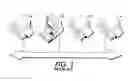
BRIEF DESCRIPTION OF THE DRAWINGSFIG. 1 is a diagram showing a set of digital printers, along with a host computer, on a network.
FIG. 2 is a flow-chart showing a method by which software resident on a host computer obtains settings from source printer and clones those settings to apply them to a target printer.
DETAILED DESCRIPTIONFIG. 1 is a diagram showing a set of digital printers, along with a host computer, connected on a network, as generally familiar in the prior art. Each printer can be a stand-alone printer, or a multifunction device with digital printer capabilities, including, in this embodiment, a website associated with the specific printer, through which data associated with the printer can be accessed. Of the printers shown, printer 10 can be considered a “source printer,” while printers 12 and 14 can be called “target printers,” as will be explained below. Also on the network is what is here called a “host computer” 20, which can a computer of any type operated, in a practical application, by a system administrator (SA). The host computer 20 communicates with the printers through familiar network protocols. The illustrated host computer 20 and printers can of course represent a small portion of a world-wide network of equipment.
In the following discussion, the source printer 10 is used to provide certain data known in the digital printing art as the “printer settings,” which are required to be established for the operation of either or both of the target printers 12 and 14. First, source printer 10 is accessed via host computer 20 to determine certain printer settings thereof; this can be done through known means, typically by accessing the website resident on the controller of source printer 10. In a current practical implementation, among the values associated with “settings” are:
| Group | Component |
| Connectivity Settings | 1.1.1 Physical Connections |
| 1.1.2 AppleTalk | |
| 1.1.3 NetWare | |
| 1.1.4 TCP/IP | |
| 1.1.5 SLP | |
| 1.1.6 SSDP | |
| 1.1.7 Microsoft Networking | |
| 1.1.8 LPR/LPD | |
| 1.1.9 RAW TCP/IP | |
| 1.1.10 HTTP | |
| 1.2.1 Scanning Repository Setup | |
| Scan Settings | 1.2.2 Default Repository Settings |
| (Optional Feature: Scan to File) | 1.2.2 Alternate 1 Repository Settings |
| 1.2.2 Alternate 2 Repository Settings | |
| 1.2.2 Alternate 3 Repository Settings | |
| 1.2.2 Alternate 4 Repository Settings | |
| 1.2.3 Template Pool | |
| Printer Upgrade | 1.3 Auto Upgrade Settings |
| 1.4 SMTP | |
| (Optional Feature: Scan to Email) | 1.5 Email Settings |
| 1.6 LDAP Directory Settings | |
| Authentication | 1.7 Authentication Type |
| (Optional Feature: Scan to File, | 1.7.1 SMB Authentication |
| Scan to Email, Ifax, or LAN | 1.7.2 NDS Authentication |
| (Server) Fax) | 1.7.3 Kerberos |
| Administration | 1.8.1 Email Alerts |
| 1.4 SMTP | |
| 1.8.2 SNMP | |
| IFAX | 1.9.1 POP3 Settings |
| (Optional Feature: IFax) | 1.4 SMTP Settings |
| 1.6 LDAP Directory Settings | |
| 1.9.2 IFax Settings | |
| Fax | 1.10.1 Fax Repository Settings |
| (Optional Feature: | 1.10.2 Fax Setup |
| LAN (Server) Fax) | |
| Job Management and Printer Setup | 1.11.1 Job Management |
| Templates | N/A |
| (Optional Feature: Scan to File) | |
FIG. 2 is a flow-chart showing a method by which software (typically, but not necessarily) resident on a host computer 20 obtains settings from source printer 10 and clones those settings to apply them to a target printer such as 12. First, a web browser on host computer 20 accesses a web page resident on source printer 10 (step 200). Through tools known in the art, the settings are in effect read from the web page of source printer 10 and copied onto a text file within host computer 20 (step 202). The text file is typically simple ASCII file which can be manifest as, for example a text document which is retained on the host computer just like any document, such as within a folder or on the virtual desktop. The text file bearing the settings further includes a “header,” a special code (which can have encryption aspects) which identifies other data in the text file as being associated with certain printer settings. The header is, in one possible embodiment, in DLM format; DLM headers can be processed using any kind of common print-submission tools, including tools which can send a single print file to multiple printers effectively simultaneously. To clone the settings of source printer 10 onto target printer 12, the text file is simply sent to the IP address of the target printer 20, exactly in the manner of any print job (step 204).
The following steps are carried out by the target printer 12, which has been pre-programmed with code that is sensitive to detect certain codes in the header of the incoming text file. When the text file is received at the IP address of the printer 12 (step 206), software at the printer is situated to detect whether the incoming print job is, in fact, a file for changing the settings, by checking a first predetermined number of characters in the text file to see if they are a suitable header (step 208). If no header code is found, the incoming file is treated as a conventional print job (step 210). If code for the header is found, however, subsequent code in the file is routed within printer 12 to populate the settings (step 212), using known tools. Techniques to make the printer port of target printer 12 sensitive to predetermined data strings in the header, as well as making a software pathway for the values in the file to set settings in the target printer, are generally known.
The header placed in the text file may include a digital signature, which can be detected and understood by software at the printer. The digital signature is useful to prevent unauthorized changing of the printer settings.
By causing the printer settings from the source printer 10 to form a text file which can be submitted as a print job, the process of setting printer settings for each of a large number of printers can be automated by the adaptation of known tools. For example, in order to provide settings to a plurality of printers, the text file having the desired settings can simply be sent as a print job to multiple printers at once. Standard print submission tools, such as LPR, can be used for this purpose. The sending of the print jobs can be scheduled to occur automatically at regular times. Most any scripting environment available on the host computer can be used to accomplish this.
The claims, as originally presented and as they may be amended, encompass variations, alternatives, modifications, improvements, equivalents, and substantial equivalents of the embodiments and teachings disclosed herein, including those that are presently unforeseen or unappreciated, and that, for example, may arise from applicants/patentees and others.
Claims
1. A method of operating a digital printing system comprising:
providing a set of printer settings in a file;
appending to the file a header;
sending the file to a target printer as a print job;
the target printer populating a control system thereof with the settings.
2. The method of claim 1, the populating step occurring in response to the target printer detecting the header.
3. The method of claim 1, further comprising obtaining the set of printer settings from a source printer.
4. The method of claim 1, the header being in DLM format.
5. The method of claim 1, further comprising
providing to the target printer a detection program for detecting the header in an incoming print job.
6. The method of claim 1, further comprising
providing to the target printer an extraction program for extracting the printer settings from the file.
7. The method of claim 1, further comprising
including a digital signature in the header.
8. The method of claim 7, further comprising
the target printer detecting the digital signature.
9. The method of claim 1, further comprising
sending the file to a plurality of target printers.
10. The method of claim 1, further comprising
sending the file to a target printer automatically at a predetermined time.
Images & Drawings included:


Sources:
- United States Patent and Trademark Office - verify current appl. status at the USPTO↗
Recent applications in this class:
- » 20180293469 2018-10-11
IMAGE FORMING SYSTEM, DATA PROCESSING APPARATUS, IMAGE FORMING APPARATUS, RECORDING MEDIUM AND DISPLAY METHOD - » 20150170007 2015-06-18
Pausing and resuming a three-dimensional printjob - » 20140362393 2014-12-11
IMAGE FORMING APPARATUS, IMAGE FORMING APPARATUS CONTROL METHOD, AND RECORDING MEDIUM STORING IMAGE FORMING APPARATUS CONTROL PROGRAM - » 20140022586 2014-01-23
Method for enforcing document privacy through third party systems - » 20130148161 2013-06-13
Image forming apparatus supporting peer-to-peer connection and method of managing channel thereof - » 20130141762 2013-06-06
Image forming apparatus capable of changing partitions of storage unit, and control method and storage medium therefor - » 20130135650 2013-05-30
Reading apparatus and printing apparatus comprising a presser plate, a sensor, and a carriage - » 20130128309 2013-05-23
PRINT SYSTEM AND PRINT DATA GENERATION APPARATUS - » 20130120795 2013-05-16
Image forming apparatus having a display section and a lighting section - » 20130114098 2013-05-09
Portable multiuse projector with fiber optic projection
Recent applications for this Assignee:
- » 20250276539 2025-09-04
PAPER PRECOAT SYSTEM AND METHODS THEREOF - » 20250276533 2025-09-04
DIAGNOSTIC SHEET AND DETECTION METHOD FOR INKJET PRINTS USING PAPER PRECOAT SOLUTIONS - » 20250254248 2025-08-07
MULTI-FUNCTION DEVICE (MFD) SYSTEM - » 20250254245 2025-08-07
MULTI-FUNCTION DEVICE (MFD) SYSTEM - » 20250254244 2025-08-07
MULTI-FUNCTION DEVICE (MFD) SYSTEM - » 20250244933 2025-07-31
METHODS AND SYSTEMS FOR PRINTING A DOCUMENT USING A MACHINE-READABLE CODE - » 20250193329 2025-06-12
METHODS AND SYSTEMS FOR ADDING ONE OR MORE SECURITY PATTERNS IN DOCUMENTS - » 20250187865 2025-06-12
MULTIDIRECTIONALLY STEPPED AUTO-COLLATOR SYSTEM AND METHOD - » 20250145827 2025-05-08
METHODS FOR PREPARING ACRYLATED POLYVINYL ALCOHOL-POLYESTER GRAFT COPOLYMERS - » 20250128532 2025-04-24
IMPROVED GLOSS EFFECT