NETWORK AND LOCAL CONTENT ACCESS SYSTEM AND METHOD
US20150101006A1
2015-04-09
14/517,128
2014-10-17
Abstract:
Unique content identifiers allow users to find and select desired network or locally stored content or applications, solving a problem of user content search and selection in systems that provide access to large libraries of content. A method of selecting digital media content according to the invention includes the steps of providing a database of content ID codes, wherein each code uniquely and permanently identifies different, specific digital media content. One or more of the content ID codes are entered using an input device, which causes the immediate or scheduled viewing of the content associated with the input ID code. The content ID code may be numerical, alphanumerical, or may comprise some form of uniform resource identifier. The digital media content is a broadcast video program, an on-demand video program, an on-demand application program, or a game. The database, or portions thereof, may be electronically stored at the location of the display or at a location remote from the display. Alternatively or in combination with an electronic database, printed catalogs or program guides may be used. The display may form part of a television receiver, media center, computer, cellular telephone, personal digital assistant, or other portable telecommunications device. In the preferred embodiment, a set-top box interfaced to the display receives commands from a input device in the form of a hand-held remote control unit.
Interested in similar patents?
Get notified when new applications in this technology area are published.
Classification:
H04N21/44008 » CPC further
Selective content distribution, e.g. interactive television or video on demand [VOD]; Client devices specifically adapted for the reception of or interaction with content, e.g. set-top-box [STB]; Operations thereof; Processing of content or additional data, e.g. demultiplexing additional data from a digital video stream; Elementary client operations, e.g. monitoring of home network or synchronising decoder's clock; Client middleware; Processing of video elementary streams, e.g. splicing a video clip retrieved from local storage with an incoming video stream, rendering scenes according to MPEG-4 scene graphs involving operations for analysing video streams, e.g. detecting features or characteristics in the video stream
H04N21/435 » CPC main
Selective content distribution, e.g. interactive television or video on demand [VOD]; Client devices specifically adapted for the reception of or interaction with content, e.g. set-top-box [STB]; Operations thereof; Processing of content or additional data, e.g. demultiplexing additional data from a digital video stream; Elementary client operations, e.g. monitoring of home network or synchronising decoder's clock; Client middleware Processing of additional data, e.g. decrypting of additional data, reconstructing software from modules extracted from the transport stream
H04N21/458 » CPC further
Selective content distribution, e.g. interactive television or video on demand [VOD]; Client devices specifically adapted for the reception of or interaction with content, e.g. set-top-box [STB]; Operations thereof; Management operations performed by the client for facilitating the reception of or the interaction with the content or administrating data related to the end-user or to the client device itself, e.g. learning user preferences for recommending movies, resolving scheduling conflicts Scheduling content for creating a personalised stream, e.g. by combining a locally stored advertisement with an incoming stream; Updating operations, e.g. for OS modules ; time-related management operations
H04N21/44 IPC
Selective content distribution, e.g. interactive television or video on demand [VOD]; Client devices specifically adapted for the reception of or interaction with content, e.g. set-top-box [STB]; Operations thereof; Processing of content or additional data, e.g. demultiplexing additional data from a digital video stream; Elementary client operations, e.g. monitoring of home network or synchronising decoder's clock; Client middleware Processing of video elementary streams, e.g. splicing a video clip retrieved from local storage with an incoming video stream, rendering scenes according to MPEG-4 scene graphs
Description
REFERENCE TO RELATED APPLICATIONS
This application claims priority to U.S. Provisional Patent Application Ser. No. 60/708,179, filed Aug. 13, 2005, the entire content of which is incorporated herein by reference.
FIELD OF THE INVENTION
The present invention relates to a system and method of creating, assigning, storing, distributing, and utilizing in various apparatus types a body of unique identifiers for video, sound, picture, applications or other categories of content.
BACKGROUND OF THE INVENTION
VCR Plus (VCR+)®, developed by Gemstar Development Corp. of Pasadena, Calif., is a methodology used to assist in the recording of television programs on VCRs and DVD recorders. Equipment containing VCR+ convert PlusCode numbers into a date, start time, duration, and channel. When the recording device is supplied with the PlusCode number, it automatically starts and stops the recording process to store the desired program.
The PlusCode numbers are printed in TV listings published in the United States and Canada, and in more than 30 other countries. Many cable guides also print PlusCode numbers. On the Internet, TV Guide Online offers comprehensive PlusCode numbers to enable recording of shows on all the major channels, whether broadcast or carried by local cable systems.
The apparatus of the VCR+ system resembles a conventional hand-held remote control unit. The unit is programmed by a user with a unique code comprising 1 to 8 digits that corresponds to the desired program. A television show which is broadcast at the most popular viewing time (for example, 7 pm) may have a code which comprises only 1 digit. Conversely, a television show which is broadcast at the least popular viewing time (for example, 3 am) may have a code which comprises the full 8 digits. After entering the code for the show to be recorded, the user places the remote in a manner that ensures a proper orientation for transmitting data to the recording equipment. At the start time, the remote unit transmits the appropriate codes to activate the equipment and tune it to the desired channel. The system and method are described in several U.S. patents, including U.S. Pat. No. 5,307,173, entitled “Apparatus and Method Using Compressed Codes For Television Program Record Scheduling.”
Although VCR+ solved some programming problems, issued remained. For example, if the user is a cable television subscriber, system has no way of knowing which broadcast channels are assigned to which cable channels of the user's particular cable service. As such a cable television subscriber must perform a channel-mapping procedure to inform the VCR+ remote unit that channel x is actually received on cable channel y. Although the VCR system provides a method of selecting each of its channel-programming positions to effect this one-time channel-mapping procedure, the task of selecting each position for channel-mapping is in itself somewhat confusing and time-consuming. More recent patents have solved this and other problems.
Although VCR+ assigns unique numbers to certain programming events, the assigned codes are temporary and not intended to be used for content searching or ordering. Nor does VCR+ accommodate the programming of Digital Video Recorders or Personal Video Recorders, or provide streamlined access to Video-On-Demand services.
SUMMARY OF THE INVENTION
This present invention improves upon existing systems and methods through the generation and usage of unique content identifiers that allow users to find and select desired network or locally stored content or applications. The system and method solve a problem of user content search and selection in systems that provide access to large libraries of content, but do not currently enable users to browse and find desired content efficiently, quickly, and with a needed level of user friendliness.
The invention broadly resides in applications that facilitate efficient content browsing and selection. The invention also allows users to create unique content IDs that act as links between systems with dissimilar content browsing characteristics. Standard content identification and labeling may also be used. A link or shortcut may also be used in some cases to efficiently browse and find desired content.
A method of selecting digital media content according to the invention includes the steps of providing a database of content ID codes, wherein each code uniquely and permanently identifies different, specific digital media content. One or more of the content ID codes are entered using an input device, which causes the immediate or scheduled viewing of the content associated with the input ID code.
The content ID code may be numerical, alphanumerical, or may comprise some form of uniform resource identifier. The digital media content is a broadcast video program, an on-demand video program, an on-demand application program, or a game. The database, or portions thereof, may be electronically stored at the location of the display or at a location remote from the display. Alternatively or in combination with an electronic database, printed catalogs or program guides may be used.
The display may form part of a television receiver, media center, computer, cellular telephone, personal digital assistant, or other portable telecommunications device. In the preferred embodiment, a set-top box interfaced to the display receives commands from an input device in the form of a hand-held remote control unit.
BRIEF DESCRIPTION OF THE DRAWINGS
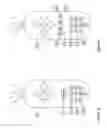
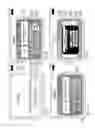
FIG. 1a is a drawing that shows a remote control device with a shortcut button used to launch a Direct Content Access Application according to the invention and digit buttons user to input a Content Identifier;
FIG. 1b is a drawing that shows a remote control device with functional buttons used to launch a Direct Content Access Application according to the invention and digit buttons user to input a Content Identifier;
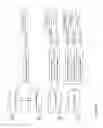
FIG. 2 shows connections between a user's receiver device and Display device as well as interactions associated therewith;
FIG. 3 shows a system usage scenario when a user presses “shortcut” button and inserts Content ID code using a remote control;
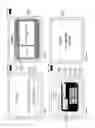
FIG. 4a shows a dialog box generated by the Direct Content Access Application for ordering On Demand Content (e.g. Program, Movie, Application, Game);
FIG. 4b shows a dialog box generated by the Direct Content Access Application for ordering a Broadcast Event.
FIG. 4c shows a dialog box generated by the Direct Content Access Application for ordering On-Demand Content (e.g. Program, Movie, Application, Game), which has no picture(s) associated therewith.
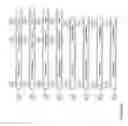
FIG. 5 shows several possible ways to encode a content identifier including numeric, alpha/numeric, and/or URI based schemes;
FIG. 6 shows several possible internal structures of content identifier encoding;
FIG. 7 illustrates Asset Identifier coding, when the content type is a Broadcast Event;
FIG. 8 shows content identifier assignment for and usage by Content Creators, Content Publishers, as well as Content Storage devices, and end users;
FIG. 9 shows a user's content selection using a content catalog 900;
FIG. 10 shows what types of responses will be offered to end users depending on their selection of each content type;
FIG. 11 shows major modules and transport streams of the content delivery system which supports on demand content ordering;
FIG. 12a shows modules associated with an Assets Management Subsystem;
FIG. 12b shows components associated with an Assets Manager module;
FIG. 13 shows client software components and applications located on a user's CPE device;
FIG. 14 shows Direct Content Access Application logic when a user orders content by CID;
FIG. 15 shows Direct Content Access Application logic when a user selects content by CID 301 and the Content Type Identifier is Broadcast Event;
FIG. 16 shows Direct Content Access Application logic when a user selects On-Demand Program Type;
FIG. 17 also shows Direct Content Access Application logic when user a selects On-Demand Program Type;
FIG. 18 also shows Direct Content Access Application logic when user a selects On-Demand Program Type;
FIG. 19 also shows Direct Content Access Application logic when user a selects On-Demand Program Type;
FIG. 20 also shows Direct Content Access Application logic when user a selects On-Demand Program Type;
FIG. 21 shows Direct Content Access Application logic when a user selects an On-Demand Game Type;
FIG. 22 also shows Direct Content Access Application logic when a user selects an On-Demand Game Type;
FIG. 23 also shows Direct Content Access Application logic when a user selects an On-Demand Game Type;
FIG. 24 shows a content catalog logical structure;
FIG. 25 shows a movie catalog logical structure;
FIG. 26a is an example of a movie catalog default order;
FIG. 26b is a further example of a movie catalog default order;
FIG. 27 shows examples of a catalog index records structure;
FIG. 28 shows an example of a hard copy Content Catalog;
FIGS. 29a, 29b, 29c, 29d shows a series of dialog boxes displayed by a DCAA during user ordering of a Movie On-Demand title;
FIGS. 30a, 30b, 30c, 30d show a series of dialog boxes displayed by the DCAA during user ordering of a Broadcast Event content; and
FIGS. 31a, 31b, 31c also show a series of dialog boxes displayed by the DCAA during user ordering of a Broadcast Event.
DETAILED DESCRIPTION OF THE INVENTION
In conjunction with this detailed description, the following numerical references are associated with the following terms in the Dictionary which follows:
Dictionary
| Number | Description |
| 100 | Remote Control Device |
| 101 | Shortcut functional button |
| 102 | Digit button |
| 103 | Functional button |
| 200 | Display device |
| 201 | Current Time |
| 202 | Current Channel Number and Name |
| 203 | Video screen |
| 204 | Video Input of display device |
| 205 | Video Output of the digital STB/Media Center/Digital TV |
| system module | |
| 206 | Remote Control Receiver device |
| 207 | Digital Set-top-box or Media Center or Digital TV system |
| module | |
| 300 | Direct Content Access Application's (DCAA) initial dialog box |
| 301 | Content Identifier (CID) code/key |
| 400 | DCAA's dialog box with content information |
| 401 | Picture |
| 402 | Description for the On Demand Program, Interactive |
| Application, Games, etc. | |
| 403 | Description for Broadcast Event |
| 404 | Focused Element |
| 405 | Other airing times for the Broadcast Event |
| 406 | Scrolling bar |
| 500 | Numeric representation of the content identifier |
| 501 | Alpha-numeric representation of the content identifier |
| 502 | URI (Uniform Resource Identifier) representation for the |
| content identifier | |
| 600 | CID resolution type encoded into CID number 301 |
| 601 | CID content type ID encoded into CID number 301 |
| 602 | CID content provider ID encoded into CID number 301 |
| 603 | Asset ID encoded into CID number 301 |
| 604 | Check digit |
| 605 | International CID type |
| 606 | Local CID type |
| 607 | Content shortcut ID type |
| 700 | Content type is Broadcast Event |
| 701 | Broadcast Service Identifier |
| 702 | Broadcast Event start time |
| 703 | Broadcast Event duration |
| 800 | Content Creation process |
| 801 | Content publishing process |
| 802 | Content storage process |
| 803 | Content selection by User/Subscriber process |
| 804 | International CID |
| 805 | Local CID |
| 806 | Shortcut CID |
| 900 | Content catalog |
| 901 | Hard copy of the content catalog |
| 902 | Soft copy of the content catalog |
| 903 | Process to get CID from content catlog |
| 904 | Process to use CID as a key |
| 905 | Set top box |
| 906 | Digital TV |
| 907 | Media Center |
| 908 | Computer |
| 909 | Cellular phone |
| 910 | PDA (Personal digital assistant) |
| 911 | Content Storage facilities |
| 912 | Content delivery network |
| 1100 | Business Support Subsystem(Billing) |
| 1101 | Broadcast Events Delivery Subsystem |
| 1102 | VOD Operational Support Subsystem |
| 1103 | Assets Storage Subsystem |
| 1104 | Assets Management Subsystem |
| 1105 | VOD streaming subsystem |
| 1106 | Return path transport layer |
| 1107 | VOD streaming transport layer |
| 1108 | Broadcast streaming transport layer |
| 1109 | Content delivery transport network |
| 1110 | User's content receiver/decoder. |
| 1111 | Interactive transport layer from headend to the STB |
| (Interactive forward path) - IFP | |
| 1200 | Assets Directory Service subsystem |
| 1201 | Assets Propagation Service subsystem |
| 1202 | Asset manager subsystem |
| 1203 | CID proxy interface subsystem |
| 1204 | CID translator from International CID to the Content Physical |
| Location Path | |
| 1205 | CID translator from Local CID to the Content Physical |
| Location Path | |
| 1206 | CID translator from shortcut CID to the Content Physical |
| Location Path | |
| 1207 | Other Assets Manager's modules |
| 1300 | Direct Content Access Application (DCAA) |
| 1301 | EPG application |
| 1302 | DVR application |
| 1303 | VOD application |
| 1304 | Interactive application |
| 1305 | Game application |
| 1306 | Middleware software |
| 1307 | Operating system |
| 1309 | Application database |
| 1310 | Service Information database |
| 1311 | DVR database |
| 2400 | Dynamic content catalog components |
| 2401 | Static content catalog components |
| 2402 | Content catalog indices |
| 2403 | Broadcast Event catalog |
| 2404 | Application add-on catalog |
| 2405 | Games add-on catalog |
| 2406 | Movies catalog |
| 2407 | Showings catalog |
| 2408 | Application catalog |
| 2409 | Games catalog |
| 2410 | Index ordered by title |
| 2411 | Index ordered by awards |
| 2412 | Index ordered by actors |
| 2413 | Index ordered by producers |
| 2414 | Index ordered by profiles |
| 2415 | Custom index |
| 2506 | Movies catalog |
| 2500 | The page of the movies catalog |
| 2501 | Key - letter |
| 2502 | Movie descriptor |
| 2504 | Page number |
| 2600 | Catalog data records sorting process |
| 2601 | First key: By Movie Category |
| 2602 | Second key: By Movie subcategory |
| 2603 | Third key: By Movie Title |
| 2700 | Movie Index record with title and page number and key letter |
| 2704 | Movie index record with title and CID |
| 2901 | Example of the initial DCAA dialog box |
| 2902 | Example of the DCAA dialog box for Movie/Program On |
| Demand | |
| 2903 | Movie description |
| 2904 | Movie Title |
| 2905 | Example of the DCAA dialog box with options for Movie/ |
| Program On Demand | |
| 2906 | “WATCH NOW” option |
| 2907 | RECORD to DVR/PVR/DVD option |
| 2908 | Another RECORDING OPTIONS |
| 2909 | Movie price |
| 2910 | Video for the selected Movie On Demand |
Turning now to the drawings, Figures la and lb show a remote control device 100 according to the invention, with functional buttons used by user in order to launch a Direct Content Access Application 1300 described in further detail herein below. The remote of FIG. 1a uses a “shortcut” button 101, whereas remote of Figure lb uses a plurality of buttons 103a, 103b, 103c, 103d. In both instances, digit buttons 102a, 102b, 102c are used to input a Content Identifier 301, also described later in further detail.
FIG. 2 shows connections and interactions between a user receiver device 207 and a Display device 200. FIG. 2 also shows interaction between Remote control 100 and receiver device 207, which includes remote control signal receiver device 206 OR or RF). The unit 207 may be a separate set-top box, media center, or digital TV system module, or may be integrated into Display Device 200. FIG. 3 shows a system usage scenario when a user presses the “shortcut” button and inserts a Content ID code using the remote control 100.
FIG. 4a shows a dialog box 400a generated by the Direct Content Access Application 1300 for ordering On-Demand Content (e.g. Program, Movie, Application, Game). Area 401 is a picture associated with the selection, and area 402 is a Description for the On Demand Program, Interactive Application, Game, etc.
FIG. 4b shows dialog box 400b generated by the Direct Content Access Application 1300 for ordering a Broadcast Event. Area 401 is a picture associated with the selection, and area 403 is a Description of the Broadcast Event. Region 404 is a Focused Element indicating the current channel 300. Regions 405 show other airing times for the Broadcast Event, and item 406 is a Scrolling bar. FIG. 4c shows dialog box 400c generated by the Direct Content Access Application 1300 for ordering On Demand Content (e.g. Program, Movie, Application, Game), but without associated pictures.
FIG. 5 shows several possible ways to encode the content identifier including numeric 500, 500a; alpha/numeric 501, 501a; and/or by Uniform Resource Identifier 502, 502a. FIG. 6 shows several possible internal structures of content identifier 301 encoding. The content identifier 301 can include the following information:
-
- content identifier resolution type 600, which may include the following values: International Content Identifier Type 605, or Local Content Identifier Type 606, or Content Shortcut Identifier Type 607;
- content type identifier 601 (e.g. Broadcast Event 1002, Program 1006, Game 1019, Application 1013, etc.);
- content provider identifier 602 (e.g. HBO, TWC)
- assets identifier 603; and
- check digit 604.
Particularly in the case of numeric or alphanumeric the content identifier, the code may be proprietary or may form part of a standard. For example, the Advanced Television Systems Committee (ATSC) Standard for Content Identification and Labeling for ATSC Transport may be used. However, the International Standard Audiovisual Number (ISAN), extended to use version information (V-ISAN) may become unwieldy in some systems, requiring up to 96 bits or 31 alphanumeric digits in human readable form.
FIG. 7 shows Asset Identifier 603 coding, when content type 601 is a Broadcast Event 700. In this case Assets Identifier 603 will typically include the following information:
-
- Service Identifier 701 for the service which carries this Broadcast Event 700;
- Broadcast Event Start Time 702; and
- Broadcast Event Duration 703.
FIG. 8 shows content identifier assignment for and usage by Content Creators, Content Publishers, Content Storage devices, and end users. International Content Identifier Number 804 can be assigned to existing content, new content, or both. It can be assigned to the new content 800 during its creation or to the existing content if it is managed by a content publisher 801. Local CID 805 and content shortcut ID 806 may be assigned for locally stored content 802. A user may use any of these IDs (804a, 805a, 806a) in order to select desired content.
FIG. 9 shows a user's content selection 904 using a content catalog 900. Content catalog 900 may have hard copy form 901 or soft copy form 902. A user can find desired content in catalog 900, then use OD 301 (located in the catalog) to order content through any content delivery network, using different CPE devices (STB 905, digital TV 906, media center 907, computer 908, cellular phone 909, PDA 910)
FIG. 10 shows what types of responses will be offered to end users depending on their selection of each content type. For example, for a broadcast event 1002, the system may tune to the selected broadcast event (1003), Set a reminder for the selected broadcast event (1004), or Setup a digital video recorder (DVR/PVR) to record the selected broadcast event (1005). For an On-Demand Program (1006) the receipt of the content identifier may Tune to the virtual video on demand channel so as to Start watching the selected program (1007). Or the action may be to Setup digital video recorder (DVR/PVR) to record the selected On Demand Program (1008) to Record the program now (1009), or Record the program later (1010). For future programming, the Time may be defined by the user (1011), or defined by a VOD network load-balancing system (1012).
For an On-Demand Application (1013), the system may Run the selected application from memory (1014), or Download the selected application (1015), in which case the application may run now (1016), later (1017), or be stored for future use (1018). In the case of an On-Demand Game (1019), the application may Run the selected game from memory (1020), or Download the selected game (1021). If the latter is chosen, the game may run now (1022), later (1023) or be stored (1024).
FIG. 11 shows major modules and transport streams of the content delivery system 1112 (e.g. digital cable/IPTV headend), which support on-demand content ordering. Module 1100 is a Business Support Subsystem used for Billing. Module 1101 is a Broadcast Events Delivery Subsystem and 1102 is a VOD Operational Support Subsystem. Modules 1103 and 1104 represent an Assets Storage Subsystem and Assets Management Subsystem, respectively. Module 1105 is a VOD streaming subsystem that interacts with a Content delivery transport network through Interactive transport layer 1111 to form STB (Interactive forward path)—IFP. 1106 shows the Return path transport layer, and 1107 shows the VOD streaming transport layer. The User's content receiver/decoder is depicted at 1110.
FIG. 12a shows modules of the Assets Management Subsystem 1104. These modules include Assets Directory Service subsystem 1200, Assets Propagation Service subsystem 1201, and Asset manager subsystem 1202. FIG. 12b shows components of the Assets Manager module 1202. These include CID proxy interface subsystem 1203; CID translator from International OD to the Content Physical Location Path 1204; CID translator from Local CID to the Content Physical Location Path 1205; OD translator from shortcut CID to the Content Physical Location Path 1206; and Other Assets Manager's modules 1207.
FIG. 13 shows client software components and applications located on the user's CPE device 1110. The Direct Content Access Application (DCAA) is depicted at 1300. The EPG, DVR, and VOD applications are shown at 1301, 1302, and 1303, respectively. 1304a and 1304b are interactive applications, and 1305 is a Game application. Middleware software modules are depicted at 1308, and the O/S is shown at 1307. The Application database is shown at 1309, the Service Information database at 1310, and the DVR database at 1311.
FIG. 14 shows Direct Content Access Application logic, when a user orders content by way of the CID 301.
FIG. 15 shows Direct Content Access Application logic, when user selects content by CID 301 and Content Type Identifier 601 is Broadcast Event.
FIG. 16 shows Direct Content Access Application logic, when user selects On Demand Program Type by OD 301
FIG. 17 shows Direct Content Access Application logic, when user selects On Demand Program Type by CID 301
FIG. 18 shows Direct Content Access Application logic, when user selects On Demand Application Type by CID 301
FIG. 19 shows Direct Content Access Application logic, when user selects On Demand Application Type by CID 301
FIG. 20 shows Direct Content Access Application logic, when user selects On
Demand Application Type by CID 301
FIG. 21 shows Direct Content Access Application logic, when user selects On Demand Game Type by CD 301
FIG. 22 shows Direct Content Access Application logic, when user selects On Demand Game Type by CID 301
FIG. 23 shows Direct Content Access Application logic, when user selects On Demand Game Type by CID 301
FIG. 24 shows content catalog logical structure. The content catalog 900 consists of number of static components 2401: movies catalog 2406 (e.g. all movies before year 2004), showings catalog 2407 (e.g. episodes for all series for all seasons before year 2004), application catalog 2408, games catalog 2409 and number of dynamic components—add-ons (2403, 2404, 2405). Each catalog is sorted by catalog's default order (see FIG. 26 for the movies catalog example). The Content catalog 900 also includes indices listings (2402, 2410, 2411, 2412, 2413, 2414, 2415) for each sub catalog (2403, 2404, 2405, 2406, 2407, 2408, 2409). The index listing (e.g. 2402, 2410, 411, 412, 413, 2414, 2415) consists of number of index records (see FIG. 27 for details).
FIG. 25 shows movies catalog logical structure.
FIGS. 26a and 26b show examples of the movies catalog default order.
FIG. 27 shows examples of the catalog index records structure.
FIG. 28 shows an example of the hard copy Content Catalog 901.
FIGS. 29a, 29b, 29c, 29d shows the series of dialog boxes displayed by DCAA 1300 during user ordering Movie On Demand title.
FIGS. 30a, 30b, 30c, 30d show the series of dialog boxes displayed by DCAA 1300 during user ordering of Broadcast Event content.
FIGS. 31a, 31b, 31c show the series of dialog boxes displayed by DCAA 1300 during user ordering of Broadcast Event.
Claims
We claim:1. A method of selecting digital media content, comprising the steps of:
providing a database of content ID codes, each code uniquely and permanently identifying different, specific digital media content;
selecting of one or more of the content ID codes; and
viewing, playing, executing or scheduling the digital media content associated with the input ID code.
Images & Drawings included:



























Sources:
- United States Patent and Trademark Office - verify current appl. status at the USPTO↗
Similar patent applications:
Recent applications in this class:
- » 20250168443 2025-05-22
ADVERTISEMENT USER INTERFACE - » 20250142160 2025-05-01
Systems and Methods for Improved Searching and Categorizing of Media Content Items Based on a Destination for the Media Content Machine Learning - » 20250113079 2025-04-03
CARRIAGE AND SIGNALING OF NEURAL NETWORK REPRESENTATIONS - » 20250071370 2025-02-27
SYSTEMS AND METHODS FOR GENERATING A NOTIFICATION IN RESPONSE TO A LIVE BROADCAST - » 20250063221 2025-02-20
FILE FORMAT CONCEPTS FOR VIDEO CODING - » 20250056086 2025-02-13
SYSTEMS AND METHODS FOR USING METADATA TO PLAY MEDIA ASSETS STORED ON A DIGITAL VIDEO RECORDER - » 20250024095 2025-01-16
SIGNALING POSE METADATA FOR SPLIT RENDERING OF EXTENDED REALITY MEDIA DATA - » 20250016401 2025-01-09
Method for sending gift in live streaming room, method for displaying gift in live streaming room, and related device - » 20240430516 2024-12-26
BROADCAST RECEIVING DEVICE - » 20240388761 2024-11-21
ADVERTISEMENT USER INTERFACE