Ordered list user interface
US20180164958A1
2018-06-14
15/376,696
2016-12-13
✅ Patent granted
US 10,739,943 B2
2020-08-11
-
-
William L Bashore | David Faber
Polsinelli PC
2037-07-26
Abstract:
In one embodiment, a method includes receiving input data from at least one input device, preparing a user interface including a list of ordered items, a details panel about a first ordered item, and a pointer pointing from the details panel to a first position in the list, interpreting the input data to include moving the first pointer to pointing at a second position in the list, updating the user interface, the updated user interface including the first pointer pointing from the details panel to the second position, interpreting the input data to include confirming placement of the first ordered item for placement in the list according to the second position, and updating the user interface to show the first ordered item placed in the list according to the second position.
Assignee:
- CISCO TECHNOLOGY, INC. 19,061 🇺🇸 San Jose, CA, United States
Applicant:
Interested in similar patents?
Get notified when new applications in this technology area are published.
Classification:
G06F3/00 IPC
Input arrangements for transferring data to be processed into a form capable of being handled by the computer; Output arrangements for transferring data from processing unit to output unit, e.g. interface arrangements
G06F3/0482 » CPC main
Input arrangements for transferring data to be processed into a form capable of being handled by the computer; Output arrangements for transferring data from processing unit to output unit, e.g. interface arrangements; Input arrangements or combined input and output arrangements for interaction between user and computer; Interaction techniques based on graphical user interfaces [GUI] based on specific properties of the displayed interaction object or a metaphor-based environment, e.g. interaction with desktop elements like windows or icons, or assisted by a cursor's changing behaviour or appearance Interaction with lists of selectable items, e.g. menus
G06F3/0486 » CPC further
Input arrangements for transferring data to be processed into a form capable of being handled by the computer; Output arrangements for transferring data from processing unit to output unit, e.g. interface arrangements; Input arrangements or combined input and output arrangements for interaction between user and computer; Interaction techniques based on graphical user interfaces [GUI] for the control of specific functions or operations, e.g. selecting or manipulating an object, an image or a displayed text element, setting a parameter value or selecting a range Drag-and-drop
Description
TECHNICAL FIELD
The present disclosure generally relates to user interfaces, and in particular, but not exclusively to, a user interface including an order list.
BACKGROUND
By way of introduction, in traditional network security device configuration user interfaces, policies may be presented in a list or table format. A policy consists of a list of ordered rules. The number of rules in a policy can go up to hundreds. The ordering of rules is very important to the accuracy of the desired security performance. When adding or editing a rule, especially the rule order in the rule list, an administrator generally needs to understand the context of the overall security policy performance to make sure the addition or editing works correctly. Misplacing a rule in the rule list can be detrimental to the overall network security of the enterprise. However, the context of the policy is often not available in the addition or edit page. To add or edit a rule, in traditional policy table user interfaces, the administrator invokes the add rule or edit rule page by clicking an add/edit rule button or clicking on the rule itself when editing. The add rule or edit rule details page would be a stand-alone page or a panel. The administrator may have to edit the rule order in a different page from the add rule or edit rule page. Even if the rule order may be edited in the add/edit rule details page, the editing of the rule order is performed without the context of the other rules in the list. The administrator may lose context of rule order and how the rules before and after the added/edited rule are being affected. As mentioned above, the order information is very important to the overall security performance but it is not available or visible in the edit rule page. The administrator may have to pivot and cross check between two windows, one having the policy table and one having the edit/add rule page, to ensure mistakes are not made.
BRIEF DESCRIPTION OF THE DRAWINGS
The present disclosure will be understood and appreciated more fully from the following detailed description, taken in conjunction with the drawings in which:
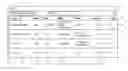
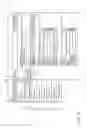
FIG. 1 is a view of a user interface including an ordered item table showing selection of a new item to the ordered item table constructed and operative in accordance with an embodiment of the present disclosure;
FIG. 2 is a view of the user interface of FIG. 1 showing a details panel of the new item partially overlaying the order item table;
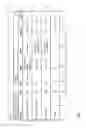
FIGS. 3-5 are views of the user interface with the details panel of FIG. 2 showing drag-and-drop of a pointer;
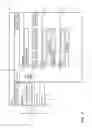
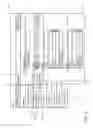
FIG. 6 is a view of the user interface of FIG. 1 showing a details panel of an item being edited partially overlaying the order item table;
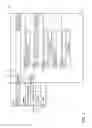
FIGS. 7-10 are views of the user interface with the details panel of FIG. 6 showing drag-and-drop of a pointer;
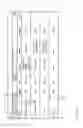
FIGS. 11-12 are views of the user interface of FIG. 1 showing inline addition of a new item;
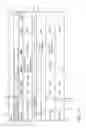
FIG. 13 is a partially block diagram, partially pictorial view of an exemplary system for implementing the user interface of FIGS. 1-12 constructed and operative in accordance with an embodiment of the present disclosure; and
FIG. 14 is a view of a flow chart showing exemplary steps in a method of operation of the system of FIG. 13.
DESCRIPTION OF EXAMPLE EMBODIMENTS
Overview
There is provided in accordance with an embodiment of the present disclosure, a method including receiving input data from at least one input device, preparing a user interface for output to a display device, the user interface including a list of a plurality of ordered items, a details panel for adding or editing details about a first ordered item, and a first pointer pointing from the details panel to a first position in the list, interpreting the input data to include moving the first pointer from pointing at the first position in the list to pointing at a second position in the list, in response to interpreting the moving, updating the user interface for output to the display device, the updated user interface including the list of the plurality of ordered items, the details panel of the first ordered item, and the first pointer pointing from the details panel of the first ordered item to the second position in the list, interpreting the input data to include confirming placement of the first ordered item for placement in the list of the plurality of ordered items according to the second position, and in response to interpreting the confirming, updating the list, placing the first ordered item in the list of the plurality of ordered items according to the second position, and updating the user interface for output to the display device to show the first ordered item placed in the list according to the second position.
There is also provided in accordance with another embodiment of the present disclosure, a method including receiving input data from at least one input device, preparing a user interface for output to a display device, the user interface including a list of a plurality of ordered items, the user interface being associated with a plurality of hover-over regions which when hovered-over reveal a selectable item, different ones of the plurality of hover-over regions being associated with a different neighboring ordered item pair of the plurality of ordered items, interpreting the input data to include hovering-over one region of the plurality of hover-over regions, the one region being associated with a first ordered item of the plurality of ordered items and a second ordered item of the plurality of ordered items, in response to interpreting the hovering-over the one region, updating the user interface for output to the display device, the updated user interface including the list of the plurality of ordered items and the selectable item associated with adding a new ordered item to the plurality of ordered items between the first ordered item and the second ordered item in the list of the plurality of ordered items, interpreting the input data to include selection of the selectable item, and in response to the interpreting the selection of the selectable item updating the list, inserting the new ordered item between the first ordered item and the second ordered item in the list of the plurality of ordered items, and updating the user interface for output to the display device to show the new ordered item inserted between the first ordered item and the second ordered item in the list.
There is also provided in accordance with still another embodiment of the present disclosure, a method including preparing a user interface for output to a display device, the user interface including a list of a plurality of ordered items, a details panel for adding or editing details about a first ordered item, and a first pointer pointing from the details panel to a first position in the list, updating the user interface for output to the display device, the updated user interface including the list of the plurality of ordered items, the details panel of the first ordered item, and the first pointer pointing from the details panel of the first ordered item to a second position in the list, and updating the user interface for output to the display device to show the first ordered item placed in the list the second position.
DETAILED DESCRIPTION
Reference is now made to FIG. 1, which is a view of a user interface 10 including an ordered item table 12 showing selection of a new item to the ordered item table 12 constructed and operative in accordance with an embodiment of the present disclosure. The user interface 10 may be web or cloud based, server based (via a wireless or wired local-area or wide-area network) or run on a local machine.
By way of overview, as will be seen in the examples of FIGS. 1-12, the user interface 10 allows an administrator to add or edit ordered item (e.g., rule) details and change or assign order item (e.g. rule) positions in the ordered item table 12 via a drag-and-drop mechanism which indicates where a new item is being added or an existing item is being moved to with respect to the overall ordered item table 12. In a security example, the user interface 10 allows an administrator to add or edit rule details and change or assign rule positions via a drag-and-drop mechanism which indicates where a new rule is being added or an existing rule is being moved to with respect to the overall security policy. The user interface 10 allows the administrator to make changes in ordered item order regardless of whether an ordered item is being added or edited without leaving the details panel of the ordered item being added or edited. The user interface 10 reduces the need of second guessing and re-calculating the order number. The user interface 10 reduces the need to pivot between screens and reduces human errors from miscalculation.
The ordered item table 12 of FIG. 1 includes four ordered items 14. Each ordered item 14 has a number 18 (order or priority number), a name 20 (or title) and details 22 including action 24, who 26, what 28, when 30 and hit count 32. Each ordered item 14 may include additional details which may be seen by pressing on a more information button 16. It will be appreciated that the details 22 shown in FIG. 1 are exemplary and any suitable details may be included and will generally depend on the nature of the ordered items 14. The ordered items 14 shown in FIG. 1 are rules used in network security. It will be appreciated that the ordered items 14 may be any suitable rule, instruction or other ordered item, by way of example only.
Each ordered item 14 may be edited by selecting the more information button 16 or by some other selection method, for example, using a suitable selection action such as double clicking or tapping in a touchscreen application on the name 20 of the ordered item 14 to be edited or within the box surrounding the ordered item 14 to be edited. Editing one of the ordered items 14 is described in more detail with reference to FIGS. 6-10.
A new ordered item may be added to the ordered item table 12 by selecting (e.g., by clicking, double clicking or tapping) a new item icon 34. An alternative method for adding a new item is described in more detail with reference to FIGS. 11 and 12. It will be appreciated that any of the selection methods mentioned herein may be replaced by any suitable selection method.
Reference is now made to FIG. 2, which is a view of the user interface 10 of FIG. 1 showing a details panel 36 of a new item 38 (e.g., new rule) partially overlaying the order item table 12. Adding a new item to the ordered item table 12 opens the details panel 36. The order/priority number 18 and name 20 of each ordered item 14 is still visible in the ordered item table 12 even though the other details 22 (FIG. 1) of the ordered item table 12 are overlaid by the details panel 36 of the new item 38. The details panel 36 includes different fields, for example, but not limited to, name 20, action 24, who 26 and what 28. Other suitable fields may be included in the details panel 36 in addition to, or instead of, the fields shown in the details panel 36 of FIG. 2. The fields of the details panel 36 may be filled by an administrator or user, by way of example. A pointer 40 extends from the details panel 36 into a list 42 (including the number 18 and name 20) of the ordered items 14. The pointer 40 indicates where in the list 42 the new item 38 will be placed when a save button 44 of the details panel 36 is selected. The save button 44 also saves any details entered in the fields of the details panel 36. The pointer 40 may also include an alphanumeric description of where the new item 38 will be placed in the list 42 upon saving. The position of the pointer 40 shown in FIG. 2 is an initial default position assigned to new items. It will be appreciated that the initial default position of the new item in the list 42 may be set to any suitable position, for example, but not limited to, the top of the list 42, the bottom of the list 42 or the middle of the list 42.
FIGS. 3-5 are views of the user interface 10 with the details panel 36 of FIG. 2 showing drag-and-drop of the pointer 40. The pointer 40 may be triangular or arrow shaped by way of example only. The pointer 40 typically extends from the details panel 36 into the list 42. FIG. 3 shows a cursor 46 placed over the pointer 40. FIG. 4 shows the pointer 40 being dragged down towards item number 3 in the list 42. The symbol of the cursor 46 has also been changed to reflect the dragging of the pointer 40. Reference is now made to FIG. 5, which shows the pointer 40 being dropped just after item number 2. At this position the pointer 40 includes the alphanumeric description “Insert before #3”. When the pointer 40 is released, the pointer may snap to a position in the list 42 that the new item 38 would be inserted in the list, for example, between #2 and #3 in the example of FIG. 5. Selecting the save button 44 at this point places the new item 38 between item #2 and item #3 in the list 42. It should be noted that in the examples of FIGS. 3-5, the alphanumeric description only changes when the pointer 40 is within a certain proximity (for example, but not limited to, 5 or 10 pixels) of the end of one of the ordered items 14 in the list 42. However, it will be appreciated that the alphanumeric description of where the new item 38 will be placed in the list 42 on saving may be configured to update based on different criteria. For example, the alphanumeric description may change when the pointer 40 passes a mid-point of any of the ordered items 14. The user interface 10 allows the administrator or user to create a new ordered item or modify an existing ordered item 14 without losing the context of the overall data in the ordered item table 12 as both the details panel 36 and the list 42 of the ordered item table 12 are shown at the same time in the user interface 10. For example, when the ordered items 14 are security rules, the user interface 10 allows the administrator to create a new rule or modify an existing rule without losing the context of the overall security performance of a policy covered by the ordered item table 12. The drag-and-drop pointer 40 clearly communicates to the administrator the position of the new item 38 (e.g., new rule) with respect to the ordering of existing ordered items 14 (e.g., rules). The pointer 40 also prevents errors that commonly happen due to misunderstanding of order number assignment and misplacing an item in the wrong position.
Reference is now made to FIG. 6, which is a view of the user interface 10 of FIG. 1 showing a details panel 48, of an ordered item 52 (of the ordered items 14) being edited, partially overlaying the order item table 12. As described above with reference to FIG. 1, selecting edit from the ordered item table 12 for an existing ordered item 14 opens the details panel 48. The details panel 48 includes substantially the same fields as the details panel 36, except that the details panel 48 is entitled “Edit Rule” rather than “New Rule” and typically opens with one or more of the fields previously filled in when the ordered item 48 was added, or previously edited, to the ordered item table 12. The pointer 50 points from the details panel 48 to the number 18 and name 20 of the ordered item 52 in the list 42. The pointer 50 also includes an alphanumeric description of where the pointer 50 is pointing at in the list 42, namely, “Order #2” in the example of FIG. 6. The pointer also includes an edit symbol 54, shown as a pen or pencil in FIG. 6. The cursor 46 is shown as an arrow in the example of FIG. 6. It will be appreciated that the edit symbol 54 and the cursor 46 may be assigned any suitable symbol which may be user selectable from a list of symbols or user-defined.
FIGS. 7-10 are views of the user interface 10 with the details panel 48 of FIG. 6 showing drag-and-drop of the pointer 50.
Reference is now made to FIG. 7 which shows that the cursor 46 is now hovering over the edit symbol 54 and the cursor has changed its symbol, e.g. to a hand in the example of FIG. 7. The edit symbol 54 may then be selected using any suitable selection method, for example, but not limited to, clicking on the edit symbol 54.
Reference is now made to FIG. 8, which shows that in response to selecting the edit symbol 54 (FIG. 7), the alphanumeric description of the pointer 50 has changed to show the original position of ordered item 52 in the list 42 and where the ordered item 52 will be placed in the list 42 if changes to the details panel 48 are now saved. In the example of FIG. 8, the alphanumeric description is “Move #2 to before #3” which is the original position of the ordered item 52. It will appreciated that the description may not change until the pointer 50 is moved by a certain amount (e.g., half the height of one of the ordered items 14) from the original position of the pointer 50. The pointer 50 also includes up and down arrows 56 to indicate that the pointer 50 may be dragged up and down the list 42.
Reference is now made to FIG. 9, which shows that as the pointer 50 is dragged down the list 42, the alphanumeric description of the pointer 50 is changed to reflect where the ordered item 52 will be placed in the list 42 if changes to the details panel 48 are now saved. It will be appreciated that the alphanumeric description of the pointer 50 is changed even when the pointer 50 is dragged up the list 42 to reflect where the ordered item 52 will be placed in the list 42 if changes are now saved. In FIG. 9, the symbol of the cursor 46 has also been changed to reflect the dragging of the pointer 50. Additionally, as the pointer 50 is moved away from its original position, a new pointer 58 is disposed in the user interface 10 to indicate the original position and alphanumeric description of the pointer 50 prior to the pointer 50 being edited. It will be appreciated that the pointer 58 may be excluded from the user interface 10. The pointer 50 may optionally include a border 60 as shown in FIG. 9 and a cancel symbol 62 shown as an “x” in FIG. 9 which may be selected to cancel the dragging operation and move the pointer 50 back to its original position given by the pointer 58.
Reference is now made to FIG. 10, which shows that the pointer 50 has now been dropped and the cursor 46 has changed back to an arrow. In the example of FIG. 10, the pointer 50 has been dropped so that the ordered item 52 will be placed in the list 42 before item #4 if changes to the details panel 48 are now saved, for example using the save button 44. It should be noted that the alphanumeric description in the examples of FIGS. 9 and 10 was changed from “Move #2 to before #3” to “Move #2 to before #4” when the pointer 50 moved below item #3 and into #4. It will be appreciated that the positions where the descriptions change from one item number to another may be user defined and may occur when the pointer 50 passes a mid-point of an item or some other point of an item by way of example only.
Reference is now made to FIGS. 11-12, which are views of the user interface 10 of FIG. 1 showing inline addition of a new item. Inline addition of a new item may be provided in addition to, or instead of the new item icon 34. Inline addition allows an administrator or user to add a new ordered item (e.g., security rule) exactly at the desired position the administrator or user chooses and allows administrator or user to create a new rule without losing the context of the ordered item table 12 e.g., without losing the context of the overall security performance of the policy. By presenting an inline add button at each potential insertion point, the user interface 10 clearly communicates to the administrator the position of a new item (e.g., rule) with respect to the ordering of existing ordered items 14 (e.g., rules). Inline addition may also prevent errors that commonly happen due to misunderstanding order number and misplacing an item (e.g., rule) in the wrong position. The user interface 10 has a plurality of hover-over regions 64 (FIGS. 11 and 12) which when hovered-over with the cursor 46 reveal a selectable item 66 shown in FIG. 12. The selectable item 66 may include a symbol 68, for example, but not limited to, a “+” symbol and/or a descriptive text 70, for example, but not limited to, “Click to add new rule”. The hover-over regions 64 may be disposed between the ordered items 14 and possibly even extending into the ordered items 14 a certain distance. The hover-over regions 64 may also be disposed at the top and bottom of the list 42 to allow adding new items to the top and bottom of the list 42, respectively. The ordered items 14 on either side of the selectable item 66 may move away from each other (either both neighboring ordered items 14 move or one moves) and optionally contract (either one or both of the neighboring ordered items 14) to make space for the selectable item 66 between the ordered items 14 that are adjacent to the selectable item 66. Selecting the selectable item 66 using any suitable selection method, for example, but not limited to, clicking or double clicking, adds a new item in the list 42 at the position of the selectable item 66. The process of adding a new item may also include displaying a details panel for adding details about the new item, for example, the details panel 36 of FIG. 2.
Reference is now made to FIG. 13, which is partially block diagram, partially pictorial, view of an exemplary system 72 for implementing the user interface 10 of FIGS. 1-12 constructed and operative in accordance with an embodiment of the present disclosure. The system 72 includes a central processing unit (CPU) 74, a graphics processing unit (GPU) 76, a memory 78, a data bus 80, a network input/output interface 82, a graphics output sub-system 84, a user input interface 86, network devices 88 (only one shown for the sake of simplicity), a keyboard 90, a mouse 92 and a display device 94. The memory 78 is operative to store data used by the central processing unit 74 and the graphics processing unit 76. The data bus 80 is operative to transfer data between the various elements of the system 72. The network input/output interface 82 is operative to exchange data with the network devices 88. The network devices 88 may store and implement items/rules configured by the administrator in the user interface 10, by way of example only. The network input/output interface may be a wired and/or wireless network interface.
The user input interface 86 is operative to receive input data from at least one input device, for example, but not limited to, the keyboard 90, the mouse 92 and/or a touchscreen (not shown). The input data may indicate a screen position (e.g., a screen position of a cursor or a finger or a stylus) and/or a mouse click or an equivalent selection command and/or keyboard input, by way of example only.
The central processing unit 74 is operative to prepare the user interface 10 (FIGS. 1-12) for output to the display device 94. The graphics processing unit 76, may also perform graphics processing of the user interface 10 including customizing the user interface 10 according to specifications of the display device 94. The graphics output sub-system 84 is operative to output the user interface 10 to the display device 94. The display device 94 may be implemented as a stand-alone monitor as shown in FIG. 13, as a display integrated with the system 72, or as a projector and screen arrangement, by way of example only. The graphics processing unit 76 may be implemented in the central processing unit 74.
The central processing unit 74 is also operative to receive the input data from the user input interface 86 and interpret the input data, for example, based on a screen position (e.g., a screen position of a cursor or a finger or a stylus). It will be appreciated that the above described functions of the central processing unit 74 may be implemented using a suitably coded software application running on the central processing unit 74.
Reference is now made to FIG. 14, which is a view of a flow chart 96 showing exemplary steps in a method of operation of the system 72 of FIG. 13. Reference is also made to FIG. 13.
The central processing unit 74 is operative to prepare a user interface 10 (FIG. 1, 11) for output to the display device 94 (block 98). The user interface 10 includes a list of the ordered items 14 (FIG. 1, 11) disposed in the ordered item table 12 (FIG. 1, 11). The ordered items 14 may be any suitable ordered items, for example, but not limited to, rules or instructions, and in particular, but not exclusively, security rules of a policy. The user input interface 86 is operative to receive input data from at least one input device (e.g., the keyboard 90 and the mouse 92) (block 100).
One way of adding a new item is now described. In response to a selection by the user of the user interface 10, the central processing unit 74 is operative to interpret the input data to include adding a new ordered item to the list 42 (FIG. 1) of the ordered items 14 (FIG. 1) (block 102). The list 42 includes the number 18 (FIG. 1) and name 20 (FIG. 1) of each ordered item 14 (FIG. 1). The central processing unit 74 is operative to add the new ordered item to the list 42 of the ordered items 14 (block 104). The central processing unit 74 is operative to prepare/update the user interface 10 by adding the details panel 36 (FIG. 2) to the user interface 10 (FIG. 2) partially overlaying the ordered item table 12 (FIG. 2) (block 106) leaving the list 42 of the ordered items 14 still visible. The details panel 36 shows fields for filling in about the newly added ordered item. The updated user interface 10 includes the pointer 40 (FIG. 2) pointing from the details panel 36 to a first position in the list 42. The process continues with block 100 where the user input interface 86 is operative to wait for further input data.
Another way of adding a new item is now described. The user interface 10 (FIG. 12) is associated with the hover-over regions 64 (FIG. 12) which when hovered-over reveal the selectable item 66 (FIG. 12). Different hover-over regions 64 are associated with a different neighboring ordered item pair of the ordered items 14 (FIG. 12). The central processing unit 74 is operative to interpret the input data to include hovering-over one hover-over region 64 associated with a first ordered item 14 and a second ordered item 14 (block 110). The terms first ordered item 14 and second order item 14 refer to any pair of neighboring ordered items 14 in the list 42. The terms “first” and “second” are used for convenience and do not necessarily refer to the initial item 14 at the top of the list 42 and another item below the initial item 14. In response to interpreting hovering-over the hover-over region 64, the central processing unit 74 is operative to update the user interface 10 (FIG. 12) for output to the display device 94. The updated user interface 10 includes the list 42 (FIG. 12) of the ordered items 14 (FIG. 12) and the selectable item 66 associated with adding a new ordered item to the ordered items 14 between the first ordered item 14 and the second ordered item 14 in the list 42 of the ordered items 14. Updating the user interface 10 may include the central processing unit 74 updating the user interface 10 by moving the first ordered item and the second ordered item away from each other (either both neighboring ordered items 14 move or one moves), and optionally contracting the first ordered item and/or the second ordered item in height, making space for the selectable item 66 between the first ordered item and the second ordered item in the list 42 of the ordered items 14 (block 112). The process continues with block 100 where the user input interface 86 is operative to wait for further input data, for example, input data related to selection of the displayed selectable item 66. The central processing unit 74 is operative to interpret the input data to include selection of the selectable item 66 (block 114). In response to interpreting the selection of the selectable item 66, the central processing unit 74 is operative to: update the list 42, inserting the new ordered item between the first ordered item 14 and the second ordered item 14 in the list 42 of the ordered items 14 (block 116); and update the user interface 10 for output to the display device 94 to show the new ordered item inserted between the first ordered item 14 and the second ordered item 14 in the list 42. The central processing unit 74 is also operative to prepare/update the user interface 10 by adding the details panel 36 (FIG. 2) to the user interface 10 (FIG. 2) partially overlaying the ordered item table 12 (FIG. 1) (block 118) leaving the list 42 of the ordered items 14 still visible. The details panel 36 includes fields for filling in about the newly added ordered item. The updated user interface 10 includes the pointer 40 (FIG. 2) pointing from the details panel 36 to a first position in the list 42. The process continues with block 100 where the user input interface 86 is operative to wait for further input data.
One way of editing an existing ordered item 14 (FIG. 1) is now described. In response to a selection by the user of the user interface 10 (FIG. 1), the central processing unit 74 is operative to interpret the input data to include editing an existing ordered item 14 in the list 42 (FIG. 1) of the ordered items 14 (block 108). The central processing unit 74 is operative to add the details panel 48 (FIG. 6) to the user interface 10 (FIG. 6) overlaying part of the ordered item table 12 (FIG. 1) (block 106). The details panel 48 shows details about the ordered item 14 being edited. The updated user interface 10 includes the pointer 50 (FIG. 6) pointing from the details panel 48 to a first position in the list 42. The pointer 50 typically extends from the details panel 48 into the list 42. The process continues with block 100 where the user input interface 86 is operative to wait for more input data.
Once the details panel 36 (FIG. 2) or the details panel 48 (FIG. 6) has been displayed (after any of the steps of blocks 106 and 118), the user input interface 86 waits for input data from the user. Input data may relate to filling the various fields in the details panel 36, 48 or to moving the pointer 40, 50 (FIGS. 2, 6). Once relevant input data has been received, the central processing unit 74 may be operative to interpret the input data to include moving the pointer 40, 50 from pointing at the first position in the list 42 to pointing at a second position in the list 42 (block 120). The central processing unit 74 may interpret the input data to include dragging the pointer 40, 50 from pointing at the first position in the list 42 and dropping the pointer 40, 50 to pointing at the second position in the list 42. In response to interpreting the moving or drag and dropping, the central processing unit 74 is operative to update the user interface 10 for output to the display device 94. The updated user interface 10 (FIGS. 5, 10) includes the list 42 (FIGS. 5, 10) of the ordered items 14 (FIGS. 5, 10), the details panel 36, 48 (FIGS. 5, 10) of the ordered item 14 being added/edited, and the pointer 40, 50 (FIGS. 5, 10) pointing from the details panel 36, 48 of the ordered item 14 being added/edited to the second (new) position in the list 42 (block 122).
When an existing ordered item 14 (FIG. 8) is being edited using the details panel 48 (FIG. 9) updating the user interface 10 (FIG. 9) may also include adding the pointer 58 (FIG. 9) to the user interface 10 in additional to the pointer 50 (FIG. 9) so that the updated user interface 10 includes the pointer 50 pointing from the details panel 48 of the ordered item 14 being edited to the second position in the list 42 and the pointer 58 pointing from the details panel 48 of the ordered item being edited to the first position in the list 42 (block 124). The position of the pointer 50 is indicative of where the ordered item 14 being edited will be placed in the list 42 after confirming placement of the ordered item 14 being edited (e.g., by selecting the save button 44 (FIG. 10) or other confirmation button or action). The position of the pointer 58 is indicative of where the ordered item 14 is placed in the list 42 prior to confirming placement of the ordered item 14 being edited.
Once the details panel 36 (FIG. 2) or the details panel 48 (FIG. 6) has been edited and the pointer 40, 50 (FIGS. 2, 6) moved if needed in the steps of blocks 122 and 124, the user may then confirm the changes, for example, but not limited to, by selecting the save button 44 (FIG. 4, 10) or by selecting another confirmation button. The central processing unit 74 may be operative to interpret the input data to include confirming placement of the ordered item 14 (FIGS. 5, 8) being added/edited for placement in the list 42 (FIGS. 5, 10) of the ordered items 14 (block 126) according to the second position. In response to interpreting the confirming, the central processing unit 74 may be operative to: update the list 42, placing the ordered item 14 being added/edited in the list 42 of the ordered items 14 according to the second position (block 128); and update the user interface 10 for output to the display device 94 to show the ordered item 14 being added/edited placed in the list 42 according to the second position (block 130). The ordered item 14 being added/edited may be placed in the list 42 before or after the ordered item 14 that the pointer 50 is pointing to. For example, the user interface 10 may be configured to place the ordered item 14 being added/edited after the ordered item 14 that the pointer 50 is pointing to. Alternatively, the user interface 10 may be configured to place the ordered item 14 being added/edited: (a) after the ordered item 14 that the pointer 50 is pointing to if the pointer 50 is pointing to the bottom half of the ordered item 14 being pointed to; and (b) before the ordered item 14 that the pointer 50 is pointing to if the pointer 50 is pointing to the bottom half of the ordered item 14 being pointed to. If the pointer 50 is pointing to a region between two ordered items 14 then the ordered items 14 being added/edited may be placed between the two ordered items 14 in the list 42.
In practice, some or all of these functions may be combined in a single physical component or, alternatively, implemented using multiple physical components. These physical components may comprise hard-wired or programmable devices, or a combination of the two. In some embodiments, at least some of the functions of the processing circuitry may be carried out by a programmable processor under the control of suitable software. This software may be downloaded to a device in electronic form, over a network, for example. Alternatively or additionally, the software may be stored in tangible, non-transitory computer-readable storage media, such as optical, magnetic, or electronic memory.
It is appreciated that software components may, if desired, be implemented in ROM (read only memory) form. The software components may, generally, be implemented in hardware, if desired, using conventional techniques. It is further appreciated that the software components may be instantiated, for example: as a computer program product or on a tangible medium. In some cases, it may be possible to instantiate the software components as a signal interpretable by an appropriate computer, although such an instantiation may be excluded in certain embodiments of the present disclosure.
It will be appreciated that various features of the disclosure which are, for clarity, described in the contexts of separate embodiments may also be provided in combination in a single embodiment. Conversely, various features of the disclosure which are, for brevity, described in the context of a single embodiment may also be provided separately or in any suitable sub-combination.
It will be appreciated by persons skilled in the art that the present disclosure is not limited by what has been particularly shown and described hereinabove. Rather the scope of the disclosure is defined by the appended claims and equivalents thereof.
Claims
What is claimed is:1. A method comprising:
receiving input data from at least one input device;
preparing a user interface for output to a display device, the user interface including a list of a plurality of ordered items, a details panel for adding or editing details about a first ordered item, and a first pointer pointing from the details panel to a first position in the list;
interpreting the input data to include moving the first pointer from pointing at the first position in the list to pointing at a second position in the list;
in response to interpreting the moving, updating the user interface for output to the display device, the updated user interface including the list of the plurality of ordered items, the details panel of the first ordered item, and the first pointer pointing from the details panel of the first ordered item to the second position in the list;
interpreting the input data to include confirming placement of the first ordered item in the list of the plurality of ordered items according to the second position; and
in response to interpreting the confirming: updating the list, placing the first ordered item in the list of the plurality of ordered items according to the second position; and updating the user interface for output to the display device to show the first ordered item placed in the list according to the second position.
2. The method according to claim 1, wherein the interpreting includes interpreting the input data to include dragging the first pointer from pointing at the first position in the list and dropping the first pointer to pointing at the second position in the list.
3. The method according to claim 1, wherein the first pointer extends from details panel into the list.
4. The method according to claim 1, wherein the list of the plurality of ordered items includes a name of each ordered item of the plurality of ordered items.
5. The method according to claim 1, wherein preparing the user interface includes partially overlaying the details panel of the first ordered item over an item table including the list of the plurality of ordered items and details for each one of the plurality of ordered items.
6. The method according to claim 1, wherein the first pointer includes an alphanumeric description indicating where the first ordered item will be placed in the list of the plurality of ordered items.
7. The method according to claim 1, wherein the plurality of ordered items are a plurality of rules.
8. The method according to claim 7, wherein the plurality of rules are a plurality of security rules.
9. The method according to claim 1, further comprising updating the user interface by adding a second pointer to the user interface in addition to the first pointer so that the updated user interface includes the first pointer pointing from the details panel of the first ordered item to the second position in the list and the second pointer pointing from the details panel of the first ordered item to the first position in the list, wherein:
a position of the first pointer is indicative of where the first ordered item will be placed in the list after confirming placement of the first order item; and
a position of the second pointer is indicative of where the first ordered item is currently placed in the list prior to the confirming.
10. The method according to claim 1, further comprising:
preparing a new user interface for output to the display device, the new user interface including the list of the plurality of ordered items, the new user interface being associated with a plurality of hover-over regions which when hovered-over reveal a selectable item, different ones of the plurality of hover-over regions being associated with a different neighboring ordered item pair of the plurality of ordered items;
interpreting the input data to include hovering-over one region of the plurality of hover-over regions, the one region being associated with a third ordered item and a fourth ordered item of the plurality of ordered items;
in response to interpreting the hovering-over the one region, updating the new user interface for output to the display device, the updated new user interface including the list of the plurality of ordered items and the selectable item associated with adding a new ordered item to the plurality of ordered items between the third ordered item and the fourth ordered item in the list of the plurality of ordered items;
interpreting the input data to include selection of the selectable item;
and
in response to the interpreting the selection of the selectable item: updating the list, inserting the new ordered item between the third ordered item and the fourth ordered item in the list of the plurality of ordered items; and updating the new user interface for output to the display device to show the new ordered item inserted between the third ordered item and the fourth ordered item in the list.
11. The method according to claim 10, wherein in response to interpreting the hovering-over the one region, the updating of the new user interface includes updating the new user interface by moving the third ordered item and the fourth ordered item away from each other making space for the selectable item between the third ordered item and the fourth ordered item in the list of the plurality of ordered items.
12. The method according to claim 11, wherein in response to interpreting the hovering-over the one region, the updating of the new user interface includes updating the user interface by contracting at least one of: the third ordered item; or the fourth ordered item, making space for the selectable item between the third ordered item and the fourth ordered item in the list of the plurality of ordered items.
13. A method comprising:
receiving input data from at least one input device;
preparing a user interface for output to a display device, the user interface including a list of a plurality of ordered items, the user interface being associated with a plurality of hover-over regions which when hovered-over reveal a selectable item, different ones of the plurality of hover-over regions being associated with a different neighboring ordered item pair of the plurality of ordered items;
interpreting the input data to include hovering-over one region of the plurality of hover-over regions, the one region being associated with a first ordered item of the plurality of ordered items and a second ordered item of the plurality of ordered items;
in response to interpreting the hovering-over the one region, updating the user interface for output to the display device, the updated user interface including the list of the plurality of ordered items and the selectable item associated with adding a new ordered item to the plurality of ordered items between the first ordered item and the second ordered item in the list of the plurality of ordered items;
interpreting the input data to include selection of the selectable item;
and
in response to the interpreting the selection of the selectable item: updating the list, inserting the new ordered item between the first ordered item and the second ordered item in the list of the plurality of ordered items; and updating the user interface for output to the display device to show the new ordered item inserted between the first ordered item and the second ordered item in the list.
14. The method according to claim 13, wherein in response to interpreting the hovering-over the one region, the updating of the user interface includes updating the user interface by moving the first ordered item and the second ordered item away from each other making space for the selectable item between the first ordered item and the second ordered item in the list of the plurality of ordered items.
15. The method according to claim 14, wherein in response to interpreting the hovering-over the one region, the updating of the user interface includes updating the user interface by contracting at least one of: the first ordered item; or the second ordered item, making space for the selectable item between the first ordered item and the second ordered item in the list of the plurality of ordered items.
16. A system comprising:
a user input interface to receive input data from at least one input device; and
a processor to:
prepare a user interface for output to a display device, the user interface including a list of a plurality of ordered items, a details panel for adding or editing details about a first ordered item, and a first pointer pointing from the details panel to a first position in the list;
interpret the input data to include moving the first pointer from pointing at the first position in the list to pointing at a second position in the list; and
in response to interpreting the moving, update the user interface for output to the display device, the updated user interface including the list of the plurality of ordered items, the details panel of the first ordered item, and the first pointer pointing from the details panel of the first ordered item to the second position in the list;
interpret the input data to include confirming placement of the first ordered item for placement in the list of the plurality of ordered items according to the second position; and
in response to interpreting the confirming: update the list, placing the first ordered item in the list of the plurality of ordered items according to the second position; and update the user interface for output to the display device to show the first ordered item placed in the list according to the second position.
17. The system according to claim 16, wherein the processor is operative to interpret the input data to include dragging the first pointer from pointing at the first position in the list and dropping the first pointer to pointing at the second position in the list.
18. The system according to claim 16, wherein the first pointer includes an alphanumeric description indicating where the first ordered item will be placed in the list of the plurality of ordered items.
19. The system according to claim 16, wherein the plurality of ordered items are a plurality of rules.
20. The system according to claim 16, wherein the list of the plurality of ordered items includes a name of each ordered item of the plurality of ordered items.
21. A method comprising:
preparing a user interface for output to a display device, the user interface including a list of a plurality of ordered items, a details panel for adding or editing details about a first ordered item, and a first pointer pointing from the details panel to a first position in the list;
updating the user interface for output to the display device, the updated user interface including the list of the plurality of ordered items, the details panel of the first ordered item, and the first pointer pointing from the details panel of the first ordered item to a second position in the list; and
updating the user interface for output to the display device to show the first ordered item placed in the list according to the second position.
Images & Drawings included:



Sources:
- United States Patent and Trademark Office - verify current appl. status at the USPTO↗
Similar patent applications:
Recent applications in this class:
- » 20250291463 2025-09-18
DISPLAY DEVICE USING RECOMMENDED SETTING INFORMATION, AND CONTROL METHOD THEREOF - » 20250291462 2025-09-18
Devices, Methods, and Graphical User Interfaces for Providing Focus Modes - » 20250291461 2025-09-18
OBJECT-CENTRIC DATA ANALYSIS SYSTEM AND ASSOCIATED GRAPHICAL USER INTERFACES - » 20250291460 2025-09-18
APPARATUS AND METHOD FOR ACCESSIBLE RANKED-CHOICE VOTING - » 20250291459 2025-09-18
PLUGGABLE CONTEXTUAL NAVIGATION FOR EMBEDDED ANALYTICS INTEGRATION - » 20250284378 2025-09-11
ELECTRONIC DEVICE FOR RECOMMENDING INFORMATION ACCORDING TO SITUATION AND METHOD FOR CONTROLLING THE SAME - » 20250284377 2025-09-11
SERVICE PROVIDING APPARATUS PROVIDING CHARACTER CUSTOMIZATION AND OPERATION METHOD OF THE SERVICE PROVIDING APPARATUS - » 20250284376 2025-09-11
METHOD, APPARATUS, DEVICE AND STORAGE MEDIUM FOR CONTENT SHARING - » 20250278170 2025-09-04
VIRTUAL WHITEBOARD PLATFORM HAVING AN INTERFACE FOR ISSUE OBJECT CREATION IN AN ISSUE TRACKING PLATFORM - » 20250278169 2025-09-04
ELECTRONIC DEVICE AND METHOD FOR IMAGE VIEWING
Recent applications for this Assignee:
- » 20250294612 2025-09-18
DISTRIBUTED RESOURCE UNIT AND DUAL CLEAR TO SEND IMPLEMENTATION - » 20250294449 2025-09-18
DISCOVERY OF POWER DEGRADED MODES IN A GREEN ELASTIC NETWORK - » 20250293958 2025-09-18
OBTAINING GROUND TRUTH LABELS FROM NETWORK CHANGES TO TRAIN A LANGUAGE MODEL-BASED NETWORK TROUBLESHOOTING AGENT - » 20250293957 2025-09-18
PROVIDING TRANSPARENCY IN LANGUAGE MODEL-BASED NETWORK TROUBLESHOOTING SYSTEMS - » 20250293938 2025-09-18
MAKING A WHAT-IF SCENARIO EVALUATION IN A GREEN ELASTIC NETWORK WITH PARTIAL TRAFFIC AND TOPOLOGY INFORMATION - » 20250293929 2025-09-18
POLICY MANAGEMENT AND ENFORCEMENT IN A GREEN ELASTIC NETWORK - » 20250293927 2025-09-18
SOFT SLEEP ACTIVATION OF NETWORK RESOURCES IN A GREEN ELASTIC NETWORK - » 20250292316 2025-09-18
MARKET-BASED APPROACH TO ALLOCATE ENERGY-AWARE RIGHTS-TO-OPERATE IN A GREEN ELASTIC NETWORK - » 20250292018 2025-09-18
DIRECT PROMPT INJECTION THREAT MITIGATION USING PROMPT PROCESSING UNITS - » 20250292015 2025-09-18
GENERATIVE ARTIFICIAL INTELLIGENCE RESPONSE CACHING USING PROMPT PROCESSING UNITS