VIDEO PLAYBACK METHOD, DEVICE, AND SYSTEM
US20180366160A1
2018-12-20
16/016,552
2018-06-23
Abstract:
A method for controlling a playback speed of video content on an electronic device, includes: playing the video content on a display at a first playback speed; detecting a user interaction on a touch interface; in response to the detected user interaction, and while the user interaction continues, modifying the playback speed of the video content to a predefined second playback speed different than said first playback speed, wherein a rate of modification of the playback speed is based on the length of the user interaction; and, in response to detecting cessation of the user interaction, modifying the playback speed to said first playback speed.
Interested in similar patents?
Get notified when new applications in this technology area are published.
Classification:
G11B27/005 » CPC main
Editing; Indexing; Addressing; Timing or synchronising; Monitoring; Measuring tape travel Reproducing at a different information rate from the information rate of recording
G06F3/04883 » CPC further
Input arrangements for transferring data to be processed into a form capable of being handled by the computer; Output arrangements for transferring data from processing unit to output unit, e.g. interface arrangements; Input arrangements or combined input and output arrangements for interaction between user and computer; Interaction techniques based on graphical user interfaces [GUI] using specific features provided by the input device, e.g. functions controlled by the rotation of a mouse with dual sensing arrangements, or of the nature of the input device, e.g. tap gestures based on pressure sensed by a digitiser using a touch-screen or digitiser, e.g. input of commands through traced gestures for inputting data by handwriting, e.g. gesture or text
H04N21/47205 » CPC further
Selective content distribution, e.g. interactive television or video on demand [VOD]; Client devices specifically adapted for the reception of or interaction with content, e.g. set-top-box [STB]; Operations thereof; End-user applications; End-user interface for requesting content, additional data or services; End-user interface for interacting with content, e.g. for content reservation or setting reminders, for requesting event notification, for manipulating displayed content for manipulating displayed content, e.g. interacting with MPEG-4 objects, editing locally
G06F3/04847 » CPC further
Input arrangements for transferring data to be processed into a form capable of being handled by the computer; Output arrangements for transferring data from processing unit to output unit, e.g. interface arrangements; Input arrangements or combined input and output arrangements for interaction between user and computer; Interaction techniques based on graphical user interfaces [GUI] for the control of specific functions or operations, e.g. selecting or manipulating an object, an image or a displayed text element, setting a parameter value or selecting a range Interaction techniques to control parameter settings, e.g. interaction with sliders or dials
G11B27/00 IPC
Editing; Indexing; Addressing; Timing or synchronising; Monitoring; Measuring tape travel
G06F3/0486 » CPC further
Input arrangements for transferring data to be processed into a form capable of being handled by the computer; Output arrangements for transferring data from processing unit to output unit, e.g. interface arrangements; Input arrangements or combined input and output arrangements for interaction between user and computer; Interaction techniques based on graphical user interfaces [GUI] for the control of specific functions or operations, e.g. selecting or manipulating an object, an image or a displayed text element, setting a parameter value or selecting a range Drag-and-drop
G06F3/0488 IPC
Input arrangements for transferring data to be processed into a form capable of being handled by the computer; Output arrangements for transferring data from processing unit to output unit, e.g. interface arrangements; Input arrangements or combined input and output arrangements for interaction between user and computer; Interaction techniques based on graphical user interfaces [GUI] using specific features provided by the input device, e.g. functions controlled by the rotation of a mouse with dual sensing arrangements, or of the nature of the input device, e.g. tap gestures based on pressure sensed by a digitiser using a touch-screen or digitiser, e.g. input of commands through traced gestures
H04N21/472 IPC
Selective content distribution, e.g. interactive television or video on demand [VOD]; Client devices specifically adapted for the reception of or interaction with content, e.g. set-top-box [STB]; Operations thereof; End-user applications End-user interface for requesting content, additional data or services; End-user interface for interacting with content, e.g. for content reservation or setting reminders, for requesting event notification, for manipulating displayed content
G06F3/0484 IPC
Input arrangements for transferring data to be processed into a form capable of being handled by the computer; Output arrangements for transferring data from processing unit to output unit, e.g. interface arrangements; Input arrangements or combined input and output arrangements for interaction between user and computer; Interaction techniques based on graphical user interfaces [GUI] for the control of specific functions or operations, e.g. selecting or manipulating an object, an image or a displayed text element, setting a parameter value or selecting a range
G06F3/041 » CPC further
Input arrangements for transferring data to be processed into a form capable of being handled by the computer; Output arrangements for transferring data from processing unit to output unit, e.g. interface arrangements; Input arrangements or combined input and output arrangements for interaction between user and computer; Arrangements for converting the position or the displacement of a member into a coded form Digitisers, e.g. for touch screens or touch pads, characterised by the transducing means
Description
RELATED APPLICATIONS
This application is a continuation of international application number PCT/IB2017/053109, filed May 26, 2017, which claims priority to U.S. application Ser. No. 15/170,860, filed Jun. 1, 2016 (now U.S. Pat. No. 9,922,679, issued Mar. 20, 2018), the entire contents of both of which are hereby fully incorporated herein by reference for all purposes.
TECHNICAL FIELD
The present invention relates generally to slow motion video playback on a computing device with a touch interface; and more specifically to the ability to control the speed of the video in a slow motion playback by using a touch and hold action on a touch screen interface.
BACKGROUND ART
Slow motion video (commonly abbreviated to “slowmo”) is an effect in video making whereby time appears to have slowed down. It was invented by the Austrian Priest August Musger in the 20th century.
Slowmo can provide an exciting view of everyday events and it is typically used to demonstrate skill and style in sport events, to recapture a key sporting moment as a slowmo replay or to demonstrate natural phenomena such as a drop of water hitting a leaf
The creation of a Slowmo video starts with high speed capture by the camera. This was called “overcranking” is early film making. The recorded film would then be played back at a normal, or slower frame rate making the motion appear slower. If the subject was captured at 120 fps, and played at 30 fps for example, the motion would appear at quarter speed.
Slowmo requires both faster capture and slower playback. If a user was to just use slower playback on an un-overcranked video the playback would result in stuttered motion. The degree of slowdown varies depending on the application, a 2-4 times slowdown is considered standard for replays or effects. Slowmo pushes the technical boundaries of camera systems for more frame per second and for the playback system to ensure a smooth slow down of the video and an enhanced user experience of a quick motion action. The introduction of slowmo video capture and playback in the iPhone 5s by Apple, Inc. in 2013 and the introduction of slowmo for the popular GoPro action camera range, often used in extreme action videography, from GoPro, Inc. in 2013 introduced the concept and experience of slowmo to the masses.
Once the video has been captured using overcranking, the user typically edits the file using a specialist slowmo software media player on a computing device which enables the user to select with mouse clicks the speed of playback during certain sections of the video to create a video experience that the user can share with other people using social media applications, or can be hosted on video websites. When a user plays the video they quite often have mouse click, or touch screen controls to very the speed of the whole video playback in predefined steps and forward or rewind the video while it is playing.
These type of touch interfaces are typically representations of buttons on the media player, similar to the controls on a DVD or media player connected to a TV or AV device.
In 2008 Gehani disclosed a method for electronic playback of a standard non-overcranked video using touch gestures on a computing device, mobile phone, or tablet which incorporated a touch screen interface. By swiping a finger left or right across the video while it is playing, the video would fast forward, or rewind at a sped proportionate to the length and speed of the swipe. This enabled a more intuitive user interface for controlling the playback of a video on a portable device. Gehani also disclosed a method to increase the speed of play by tapping on the screen where every tap would increase the video playback speed by a defined amount.
Later in 2012 Andres disclosed in his application a similar method to control the navigation of the video during playback using swipe controls on a touch sensitive screen, and to show the navigation using a plurality of frames in a file strip below the video.
Checkley in 2014 disclosed a method of “press and hold” to navigate to a specific point in a video sequence. He also disclosed a method to change the speed of the video by mapping points on the touch screen interface to specific speed settings for example 2 times or 4 times.
While these example provide methods to control video navigation and step changes in speed what makes the method in the present application unique from Gehani, Andres and Checkley is the simplicity of the control of the speed of the video in a slowmo playback, and the enhancement of the user experience through cleaner visual feedback of the slowmo. There is no need to represent buttons on the media player window which distract from the user experience of the slowmo, and there is no requirement to swipe across the screen thereby distracting the user from seeing the slowmo action on the screen.
The following USPTO patent documents reflect such prior background art:
U.S. patent application Ser. No. 13/603,178 by Andres, I. et al. (hereinafter “Andres”), filed 4, 2012 and titled “Gesture touch inputs for controlling video on a touchscreen.
U.S. Pat. No. 8,405,621 B2 by Gehani, S. et al. (hereinafter “Gehani”), filed on Sep. 2 and titled “Variable Rate Media Playback Methods for Electronic Devices with Touch Interfaces”.
U.S. Pat. No. 7,495,659 B2 by Marriott, G. et al. (hereinafter “Marriott”), filed on Nov. 25, 2003 and titled “Touch pad for handheld device.
U.S. Pat. No. 7,663,607 B2 by Hotelling, S. et al. (hereinafter “Hotelling”), filed on May 6, 2004 and titled “Multipoint touchscreen.
U.S. Pat. No. 8,479,122 B2 by Hotelling, S et al. (hereinafter “Hotelling”), filed on Jul. 30, 2004 and titled “Gestures for touch sensitive input devices”.
U.S. Pat. No. 8,239,784 B2 by Hotelling, S et al. (hereinafter “Hotelling”), filed on Jan. 18, 2005 and titled “Mode-based graphical user interfaces for touch sensitive input devices.”
U.S. patent application Ser. No. 11/850,635 by Jobs, S. P., et al. (hereinafter “Jobs”), filed on 2007 and titled “Touch Screen Device, Method, and Graphical User Interface for Determining Commands by Applying Heuristics” (issued as U.S. Pat. No. 8,564,544, Oct. 22, 2013).
U.S. patent application Ser. No. 11/682,872 by Rosenberg, L B (hereinafter “Rosenberg”), filed Mar. 6, 2007 and titled “Touch-gesture control of video media play on handheld media players” (published as US 20080084400, Apr. 10, 2008).
U.S. patent application Ser. No. 14/743,013 by Checkley G et al. (hereinafter “Checkley”), Jun. 18, 2015 and titled “Methods, systems and media for controlling playback of video using a touchscreen”.
U.S. patent application Ser. No. 13/076,854 by Hill S et al. (hereinafter “Hill”), filed on March 31, 2011 and titled “Substituting touch gestures for GUI or hardware keys to control audio play”.
U.S. patent application Ser. No. 13/184,415 by Kim C et al. (hereinafter “Kim”), filed on Jul. 15, 2011 and titled “Mobile terminal and method for controlling playback speed of mobile terminal.”
U.S. patent application Ser. No. 13/541,203 by Shakespeare D M (hereinafter “Shakespeare”) filed on Jul. 3, 2012 and titled “Touch device gestures”.
U.S. patent application Ser. No. 12/713,118 by Hinckley K Pet al. (hereinafter “Hinckley”), filed Feb. 25, 2010 and titled “Multi-screen bookmark hold gesture”.
The following European patent documents reflect such prior background art:
European Patent Application No. 05105669.5 by Wilson A D, et al. (hereinafter “Wilson”), filed Jun. 26, 2005 and titled “Recognizing gestures and using gestures for interacting with software applications”.
The following other publications also reflect such prior background art:
International Report on Patentability and Written Opinion for International Application PCT/US2008/086538 (hereinafter “Written Opinion”), dated April 2005.
DISCLOSURE OF INVENTION
A method and system are described herein that allow a user to playback a slowmo video control the speed of the slowmo action replay, with a variable amount, using a very simple touch and hold action on a touch screen interface. The simplicity of the interface enables a cleaner and more immersive feel of the playback of the slowmo video.
In one embodiment the user touches the screen during slowmo playback and as long as the touch is static the video will slow down with variable rate change in speed the longer the touch is held static. Once the touch is released, the slowmo video will slowly increase its speed of playback with variable rate change until it is running at normal slowmo playback speed, typically 30 fps. In this embodiment the slowmo video, which are typically 5 seconds or less, plays in a continual loop so that the user is not distracted from having to fast forward, rewind, start, pause or stop the video during playback.
The concept of changing the speed of the playback of a slowmo video is not new; what is unique is the method and system described herein to allow the user in a very simple, intuitive and clean method to slow down and speed up the slowmo action in order to give the user a more immersive feel of the playback.
BRIEF DESCRIPTION OF THE DRAWINGS
The foregoing summary of the invention, as well as the following detailed description of th preferred embodiment, is better understood when read in conjunction with the accompanying drawings, which are included by way of example and not by way of limitation with regard claimed invention:
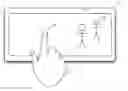
FIG. 1 is a block diagram of a mobile computing device with a touch sensitive screen.
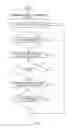
FIG. 2 is a touch to slow touch method, in accordance with one embodiment of the present invention.
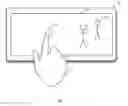
FIG. 3 is a perspective view of a mobile computing device playing a slow motion video and a user performing a static touch on the screen to slow the video down.
BEST MODE FOR CARRYING OUT THE INVENTION
In one example, a user is playing back a slowmo video on their mobile phone using a slowmo playback application, hereinafter called the “Worm App” which incorporates the methods of slow motion video playback disclosed herein. They initiate a touch and static hold of the touch on the screen hereinafter called “Touch to Slow”.
In a second example a user edits a slowmo video on their mobile phone using the Worm App and Touch to Slow and they then upload and share that edited video with friends who also have the Worm App and can use Touch to Slow to view the motion video.
In both embodiments, the Worm App resides on the mobile computing device, see FIG. 1. The touch display initiates the slowmo commands.
In the sections that follow, various slow motion video playback scenarios are described which describe the method and process with which the Worm App slows down the playback speed of the slowmo video. The scenarios described are given by way of example. The scenarios can be extended to include any and all other record, edit, playback and share related scenarios that might be relevant within the scope of the invention.
Two methods are described herein for achieving the user experience and are called “Method 1” and “Method 2”.
Method 1
Reference is made to FIG. 1 which shows a block diagram of a mobile computing device with a touch sensitive screen, FIG. 2, which shows the touch to slow touch method for the slow down of the playback of a slowmo video and FIG. 3 which shows a perspective view of a mobile computing device playing a slow motion video and a user performing a static touch on the screen to slow the video down.
In step 1, the Worm App is started 7 and the latest video that is stored in the memory 4 of the computing device 1 is played automatically in an infinite loop 9 on the touch display of the device 2. In step 2, once the user sees a section of video that catches his interest and he would like to slow down the action, he places his finger 17 on the touch sensitive display 16. In step 3, the Worm App 5 senses the touch and static hold 18 of the finger 17 and starts to reduce the playback speed of the slow motion video in linear increments the longer the touch is held 11. In this example the video playback rate is reduced by up to 4 times over 400 ms. The user can touch and static hold his touch anywhere on the playback screen 16. In step 4, if the user would like to see the video speed up he releases his finger 17 and the video returns to normal playback speed of 30 fps over 400 ms as long as there is no further touch and static hold on the screen.
Method 2
Reference is made to FIG. 1, FIG. 2 and FIG. 3. In this example, the user is editing a slowmo video using the Worm App. While in edit mode, the user can vary the speed of the playback using the Touch to Slow method described herein by holding his finger 17 on the video playback screen. Once the user has completed their edits the user can save the video 6 and upload it onto a Worm App cloud based server and can enable other people to watch and make comments on the video in the public domain.
When another user, who has permissions to view the slowmo video open their Worm App 5 they can see the latest video from the user playing and looping automatically. They can see in normal playback the slowmo effects that the user has added to their video during the edit. Whilst watching the looped video, the user can place their finger 17 on the touch screen to enable Touch to Slow and slow down the video playback further down to a predetermined threshold set on the Worm App in order to better experience the motion video and watch specific details of the motion.
INDUSTRIAL APPLICABILITY
In the preferred embodiment of the invention, consumers may control the speed of a video slowmo playback on a computer with a touch screen interface by a variable amount using simple touch and hold action. This benefits slowmo video hosting providers and slowmo application providers by giving their users a simple and clean interface with more immersive feel of the playback of the slowmo video and thereby increasing their users experience which benefit the providers economically since they will gain loyalty from their user base.
Claims
1-20. (canceled)
21. A method for controlling a playback speed of video content on an electronic device, the method comprising:
(A) playing the video content on a display at a first playback speed;
(B) detecting a user interaction on a touch interface;
(C) in response to the user interaction detected in (B), and while the user interaction continues, modifying the playback speed of the video content to a predefined second playback speed different than said first playback speed, wherein a rate of modification of the playback speed in (C) is based on the length of the is user interaction; and,
(D) in response to detecting cessation of the user interaction, modifying the playback speed to said first playback speed.
22. The method of claim 21, wherein said first playback speed is a normal playback speed.
23. The method of claim 21, wherein the rate of change of the playback speed increases based on the length of the user interaction.
24. The method of claim 21, wherein the touch interface comprises a touch sensitive screen associated with said display.
25. The method of claim 21, wherein, in (C), the rate of change in the playback speed is linear.
26. The method of claim 21, wherein, in (C), the playback speed is changed in predefined increments.
27. The method of claim 21, where the rate of the change of the playback speed in (C) increases the further the user interaction is moved from an initial interaction point.
28. The method of claim 21, wherein the video content is played in a loop.
29. The method of claim 21, wherein the display comprises a video playback screen, and wherein the user interaction detected in (B) is within a boundary of the video playback screen.
30. The method of claim 21, wherein the video content was captured at a frame rate higher than said first playback speed.
31. The method of claim 21, wherein the touch interface is associated with the display.
32. The method of claim 21, wherein the display is integral with the device.
33. The method of claim 21, wherein the user interaction comprises a touch and hold interaction on said touch interface.
34. The method of claim 21, wherein the user interaction is at an arbitrary location on the touch interface.
35. The method of claim 21, wherein said modifying the playback speed in (C) comprises reducing the playback speed, and wherein the second playback speed is less that the first playback speed, and wherein the modifying the playback speed in (D) comprises increasing the playback speed.
36. An electronic device, comprising:
at least one processor;
machine-readable code stored on the electronic device comprising executable instructions that are executable by at least one processor, and which comprise executable instructions to, at least:
(A) play the video content on a display at a first playback speed;
(B) detect a user interaction on a touch interface;
(C) in response to the user interaction detected in (B), and while the user interaction continues, modify the playback speed of the video content to a predefined speed distinct from said first playback speed, wherein a rate of change of the playback speed in (C) is based on the length of the user interaction; and,
(D) in response to detecting cessation of the user interaction, change the playback speed to said first playback speed.
37. The device of claim 36, wherein the rate of change of the playback speed increases based on the length of the user interaction.
38. The device of claim 36, wherein the predefined speed is less than the first playback speed.
39. A non-transitory computer-readable storage medium comprising executable instructions for causing at least one processor of an electronic device with a display to perform at least operations comprising:
(A) playing the video content on a display at a first playback speed;
(B) detecting a user interaction on a touch interface;
(C) in response to the user interaction detected in (B), and while the user interaction continues, modifying the playback speed of the video content to a predefined speed distinct from said first playback speed, wherein a rate of change of the playback speed in (C) is based on the length of the user interaction; and,
(D) in response to detecting cessation of the user interaction, modifying the playback speed to said first playback speed.
40. The non-transitory computer-readable storage medium of claim 19, wherein the rate of change of the playback speed increases based on the length of the user interaction.
41. The no-transitory computer-readable storage medium of claim 19, wherein the predefined speed is less than the first playback speed.
Images & Drawings included:

Sources:
- United States Patent and Trademark Office - verify current appl. status at the USPTO↗
Similar patent applications:
- » 20250008191
VIDEO SYNCHRONOUS PLAYBACK SYSTEM AND METHOD AND TERMINAL DEVICE FOR VIDEO SYNCHRONOUS PLAYBACK - » 20160337609
Video playback method, device, and system - » 20170201563
VIDEO DATA PROVIDING METHOD, VIDEO PLAYBACK METHOD, DEVICE, AND SYSTEM - » 20160094805
Surveillance video playback method, device, and system - » 20080307483
Information processing device, video playback method, program, and video playback system - » 20140040049
Information processing device, video playback method, program, and video playback system - » 20240031655
Video playback method, terminal device, apparatus, system, and storage medium - » 20160066007
VIDEO PLAYBACK METHOD, MEDIA DEVICE, PLAYBACK DEVICE, AND MULTIMEDIA SYSTEM - » 20100008636
VIDEO DISPLAY DEVICE, VIDEO PLAYBACK DEVICE, VIDEO PLAYBACK DISPLAY SYSTEM AND CONTROL METHOD THEREOF - » 20070086728
Digital video recording device ticker playback system and method
Recent applications in this class:
- » 20250166663 2025-05-22
SYSTEMS AND METHODS TO IMPROVE SKIP FORWARD FUNCTIONALITY - » 20250149065 2025-05-08
ADAPTING RUNTIME AND PROVIDING CONTENT DURING AN ACTIVITY - » 20250118334 2025-04-10
METHOD OF RECORDING AND REPRODUCING A VEHICLE IMAGE USING METADATA AND SYSTEM FOR THE SAME - » 20250095686 2025-03-20
PERSONALIZED ADAPTIVE MEETING PLAYBACK - » 20240404558 2024-12-05
COHERENT SLOW-MOTION VIDEO DISPLAYED ACROSS MULTIPLE DEVICES - » 20240321315 2024-09-26
VARIABLE SPEED PLAYBACK - » 20240290351 2024-08-29
Method and apparatus for adjusting speed of multimedia clip, device and medium - » 20240233767 2024-07-11
METHOD AND APPARATUS FOR VIDEO SEEKING AND PLAYING, TERMINAL DEVICE AND STORAGE MEDIUM - » 20240185888 2024-06-06
Content-based adaptive speed playback - » 20240185887 2024-06-06
DYNAMIC PLAYBACK SPEED ADJUSTMENT